LinkUp
Designing a C2C mobile application to help plan your social hangouts conveniently.
Role
Sole UX/UI Designer
Tools
Figma
FigJam
Miro
Google Forms
Google Docs
Zoom
Duration
3 months
Process
Research
Ideation
Design
Prototype
User Testing
Reflection
Some context...
LinkUp is Your Ultimate Solution for Effortless Social Planning!
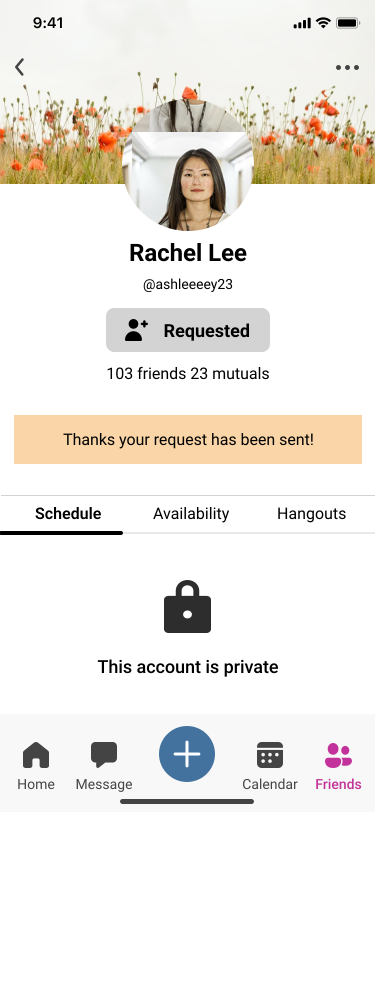
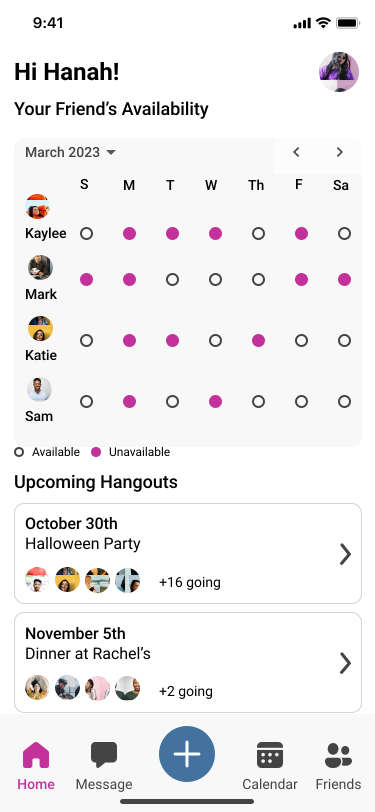
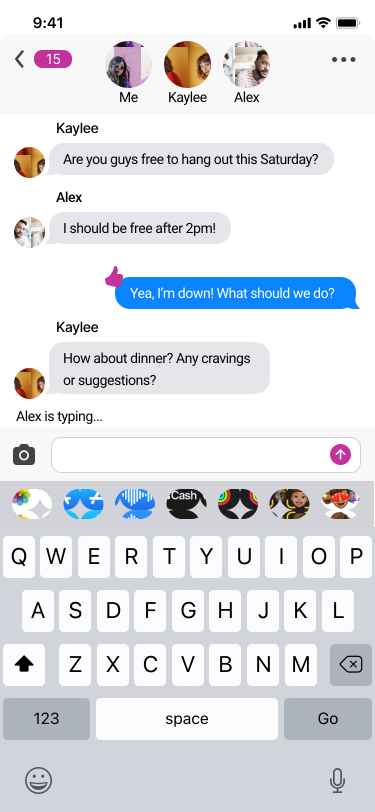
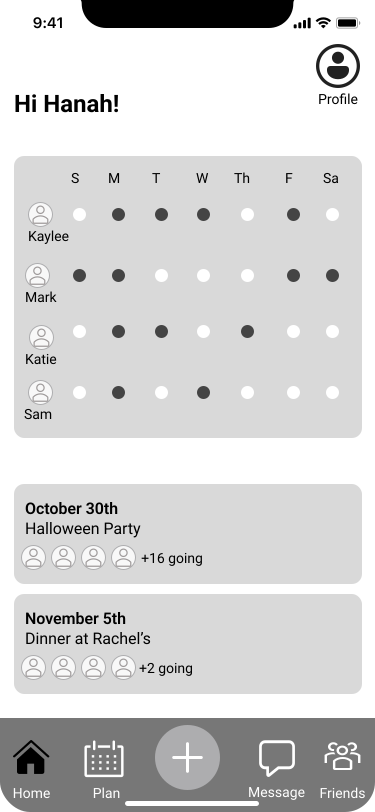
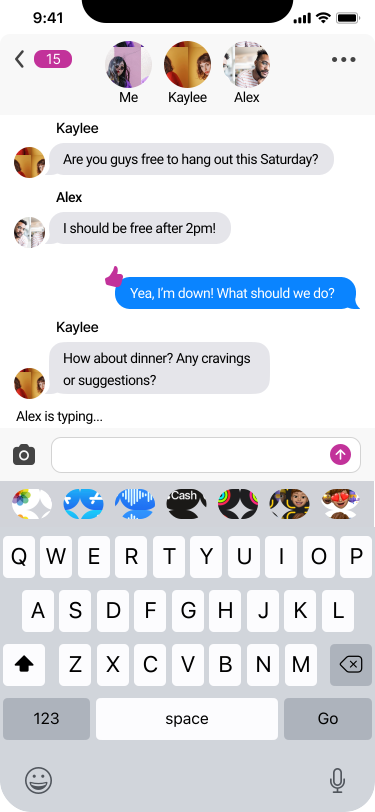
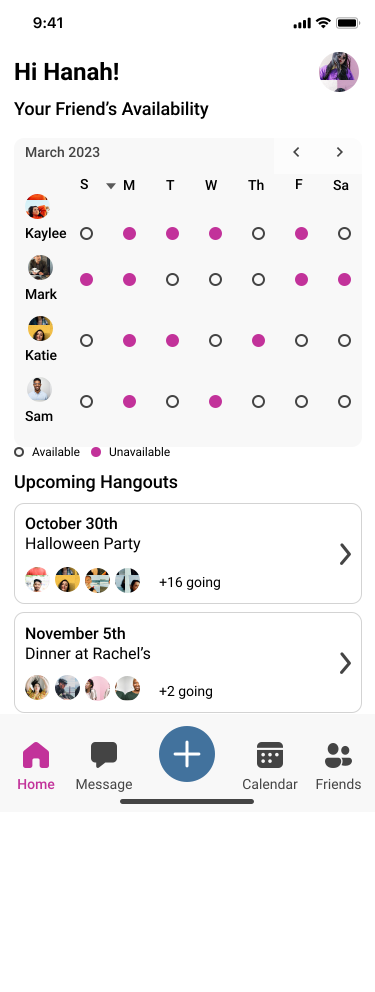
LinkUp is a mobile app that simplifies organizing social hangouts with friends. With easy-to-use features and smooth navigation, users can quickly plan and coordinate gatherings, making it simple to connect and spend time together.
The solution...
I Designed a Mobile App to Help Users Easily Coordinate Social Plans.
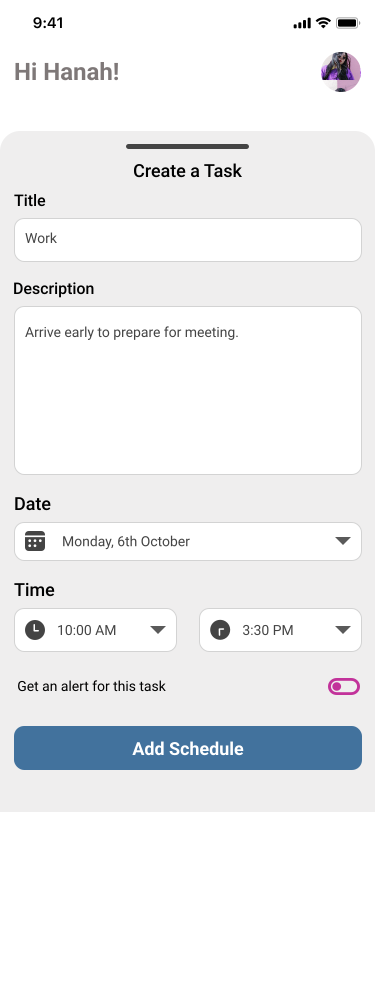
I designed LinkUp to help simplify social scheduling with accessible tools, to ensure that anyone can effectively plan and organize social plans. Features include:

• Matchmaking schedules with friends
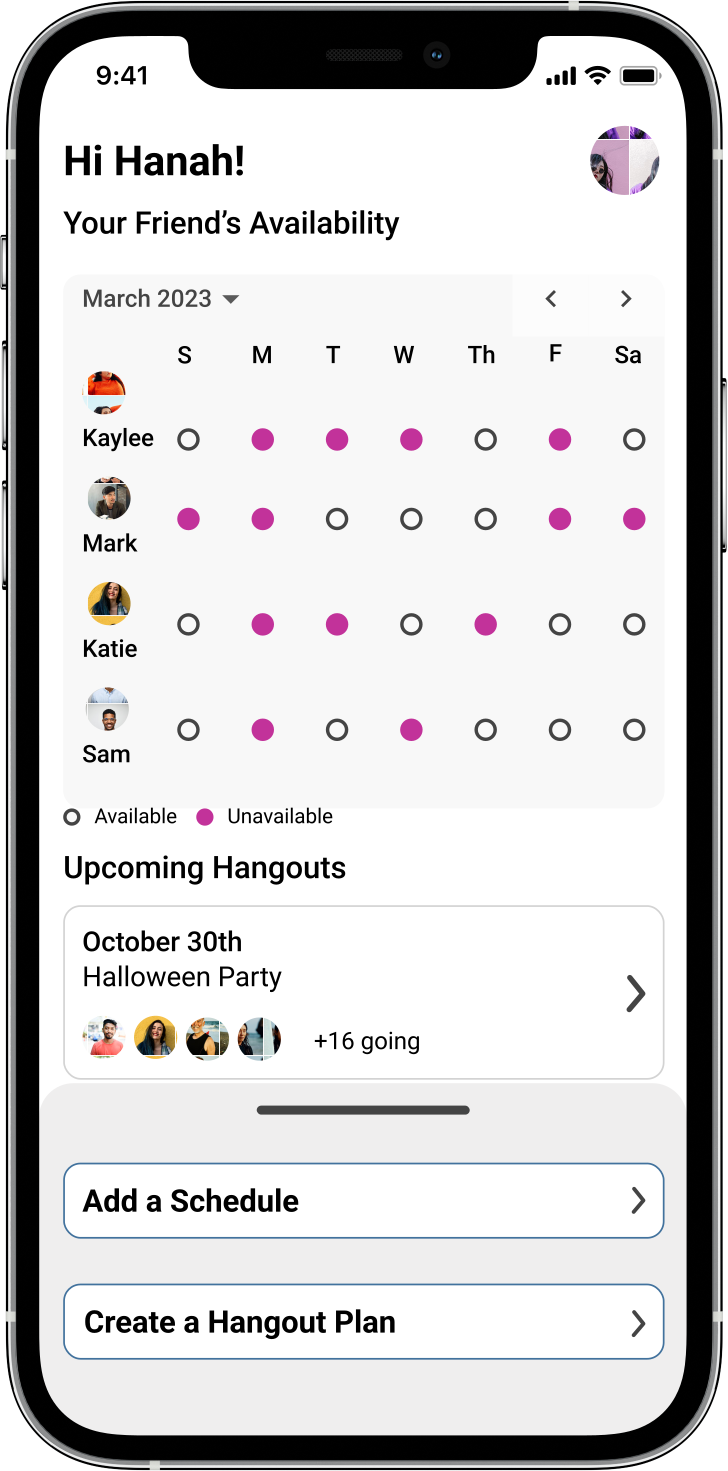
• Insights into friends' availabilities
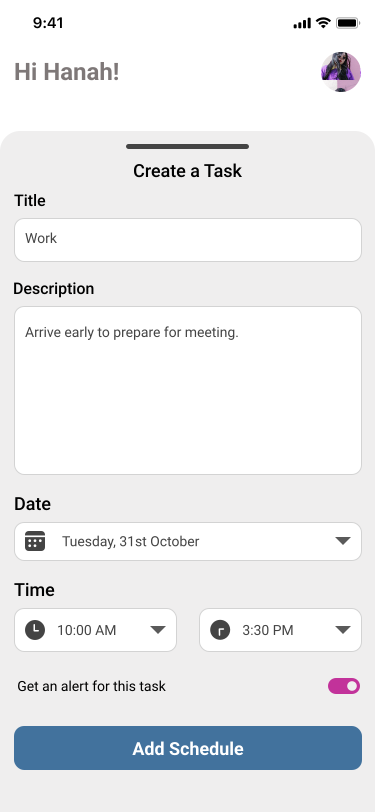
• Personal task and event creation
• Easy messaging for seamless communication.
Secondary research...
What Does Research Reveal About Why People are Socializing Less These Days?
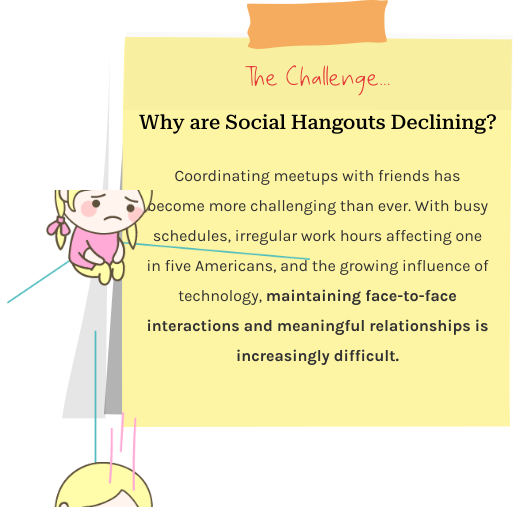
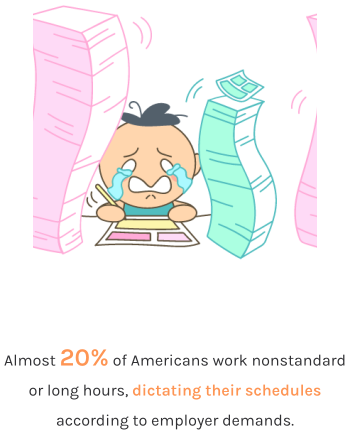
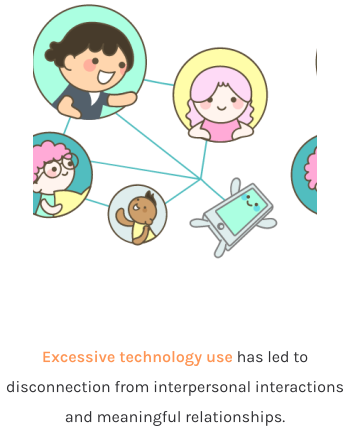
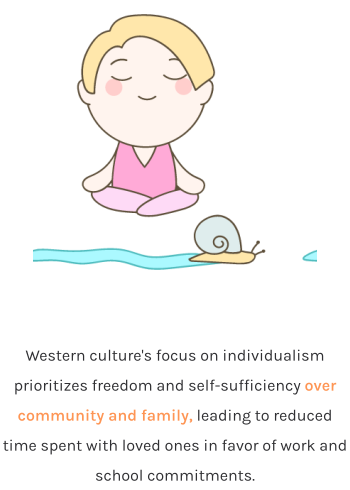
To gain deeper insight into the challenges of organizing social hangouts, I conducted secondary research and pinpointed three key issues:
Primary research...
I wanted to Understand my Target Audience.
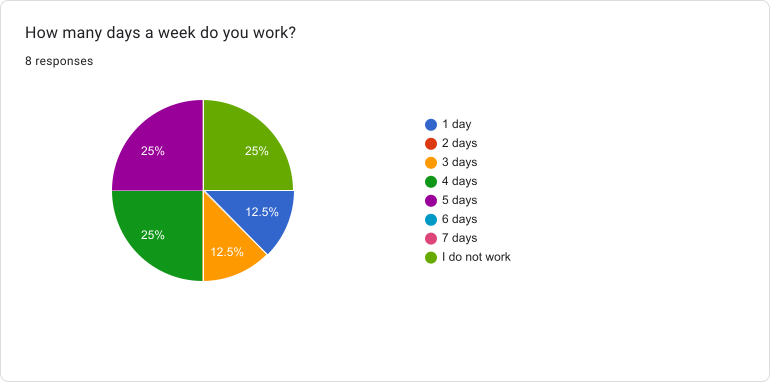
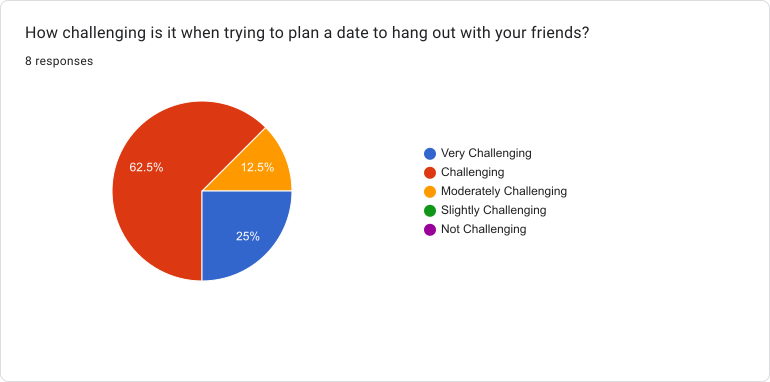
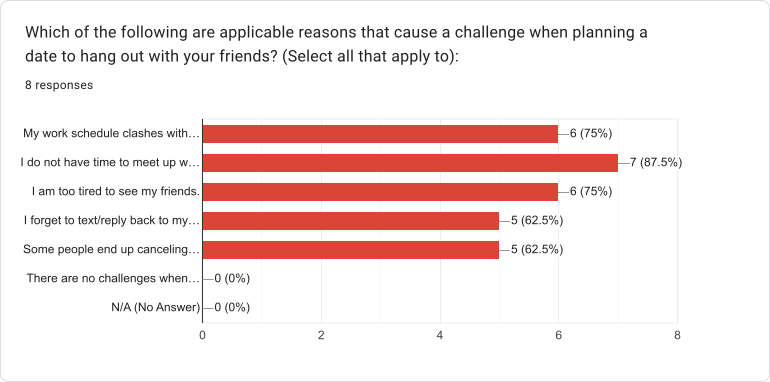
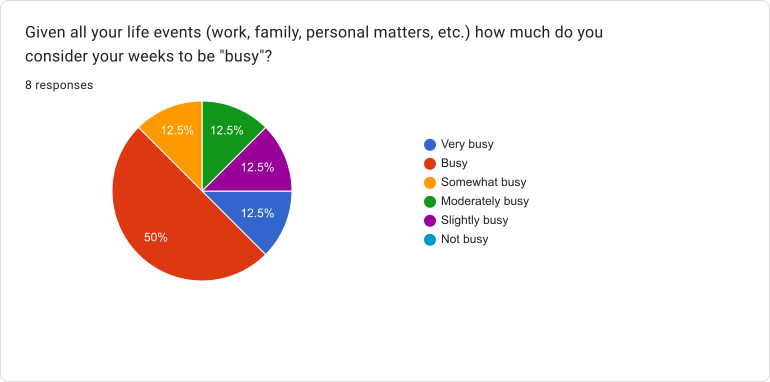
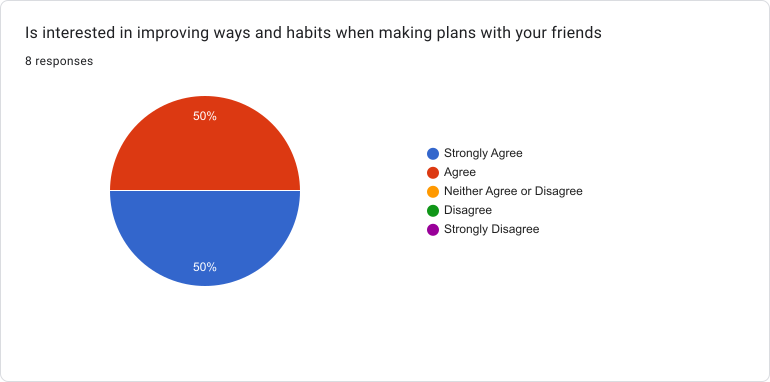
To gain further insight into the common challenges individuals face when coordinating social plans, I designed a screener survey using Google Forms to recruit participants for interviews.
1
Screener Survey
8
Responses
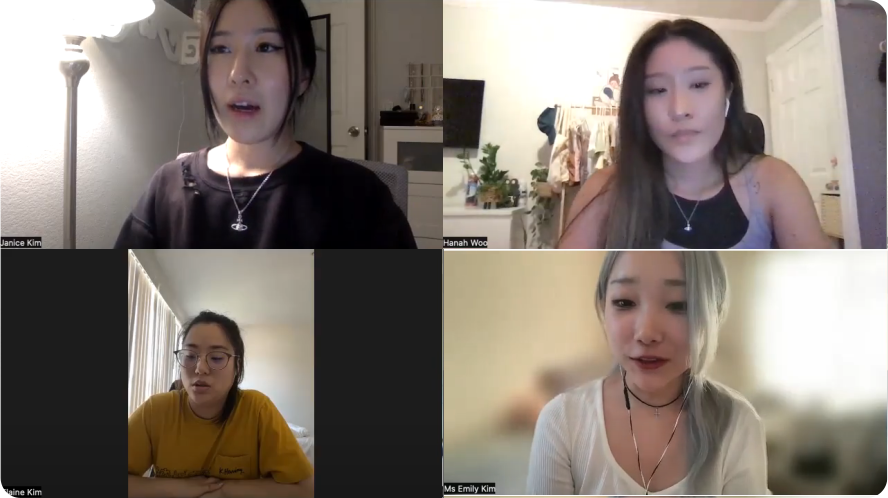
5
Remote Interviews
★ Screener Surveys
I created a screener survey through Google Forms to target participants who struggle to balance out their social lives. By doing so, I was able to select participants that were best suited to our interests.
★ Interviews
Five participants who experienced inconsistent social lives were recruited for remote interviews conducted via Zoom. This allowed me to have a deeper understanding of the main problem.
COMMON PAIN POINT = BUSY AND CONFLICTING SCHEDULES

Joyce Yang

"Finding a time when everyone can hang out is often a challenge."

Emily Kim

"The back-and-forth messaging to coordinate plans can be overwhelming and time-consuming."

Jennifer Chu

"By staying updated on my friends' plans, I can better accommodate their schedules."
Thank you! Your submission has been received!
Oops! Something went wrong while submitting the form.
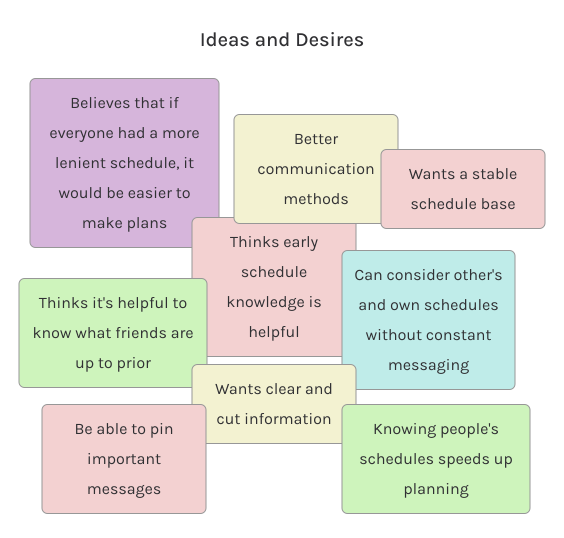
Affinity mapping...
I Mapped and Organized the Insights Gathered from the Interviews.
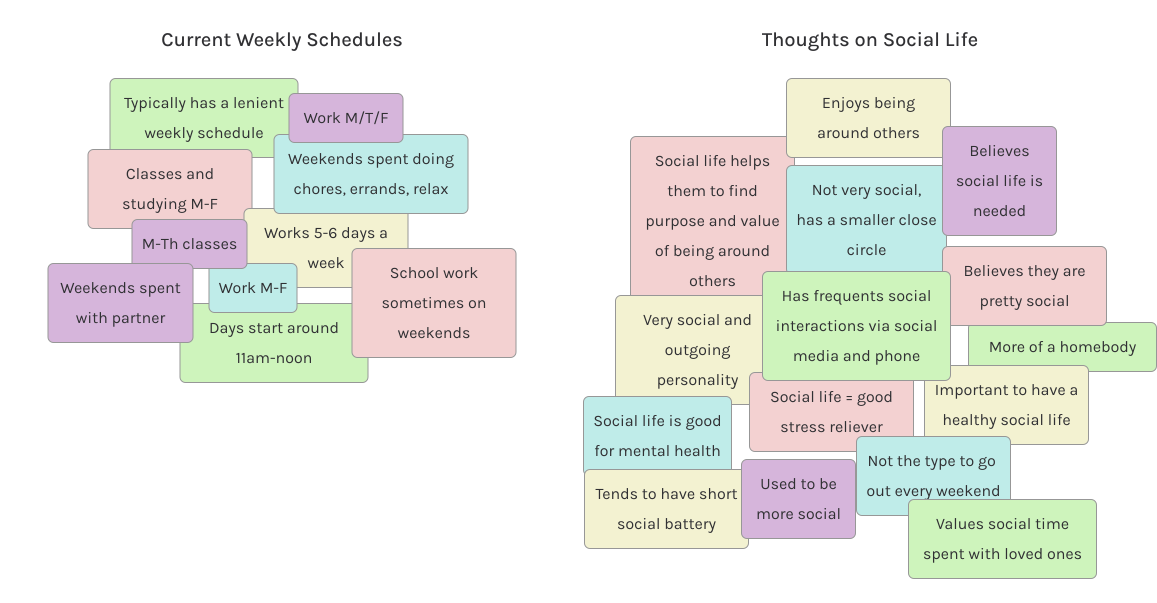
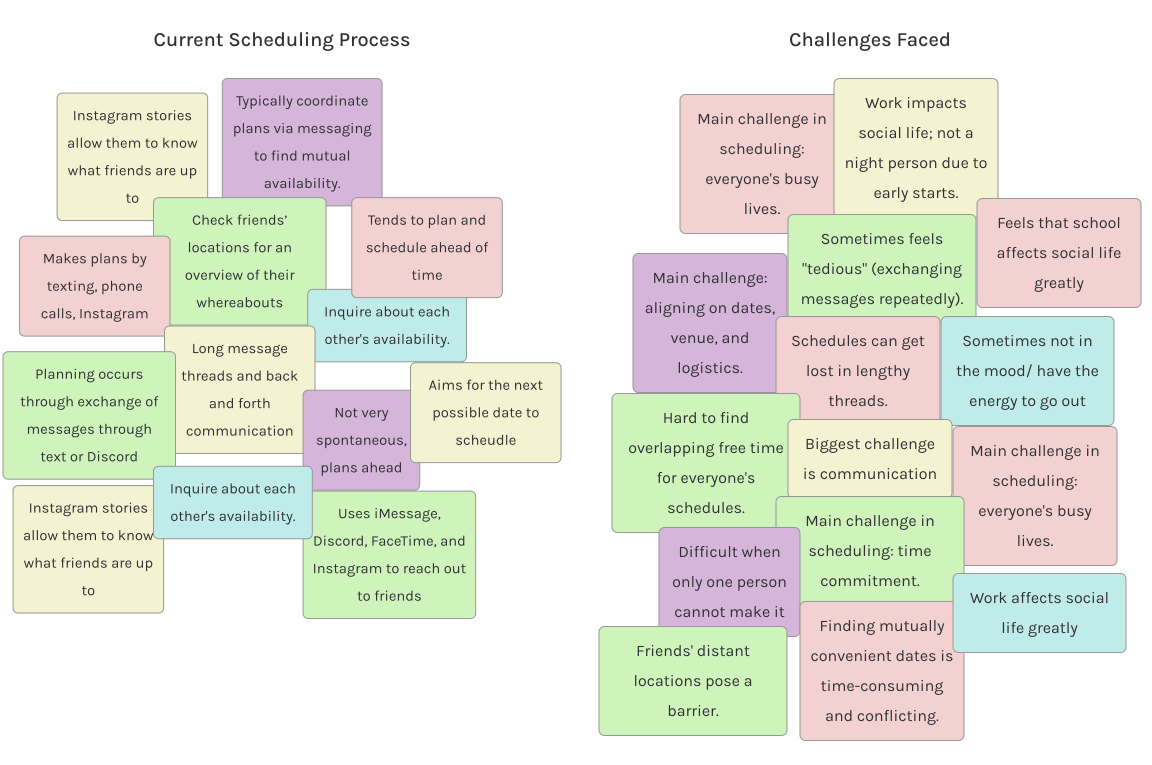
Using insights from the interviews, I created affinity maps, grouping ideas by commonalities on sticky notes. This helped identify patterns and themes in these major areas:

• Participants’ weekly schedules
• Importance of social life
• Planning process with friends
• Challenges in social planning
• Ideas and solutions
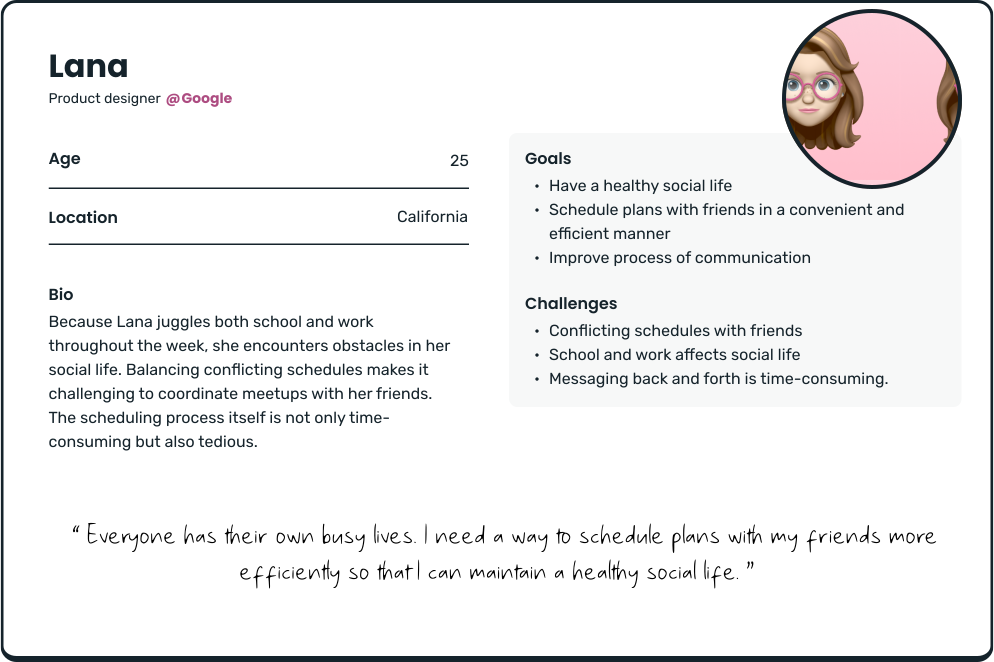
Persona...
Empathizing with Users.
I crafted a persona representing the "planners" type, who prioritize a healthy social life and seamless scheduling. This persona guided my design decisions, enhancing empathy and clarifying goals for a better user experience.
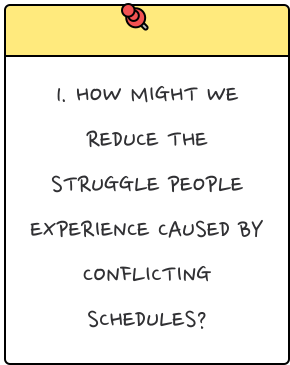
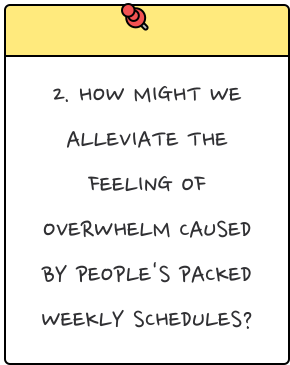
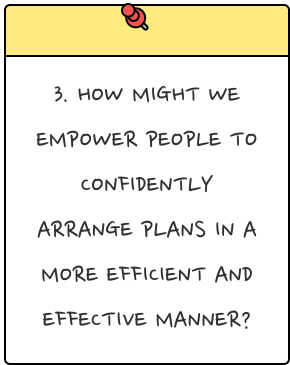
How might we...
User stories...
User Needs for Friend Requests, Schedule Viewing, and Group Chats.
To understand the users' perspective, I devised three user stories to construct a mental model, identifying crucial features and values for my app design. This approach enabled me to articulate the who, what, and why behind the functionality.

01

User Story #1

As a user, I want to search and add friends on the app.

02

User Story #2

As a user, I want to input my personal weekly schedules.

03

User Story #3

As a user, I want to create a group chat to communicate.
The structure...
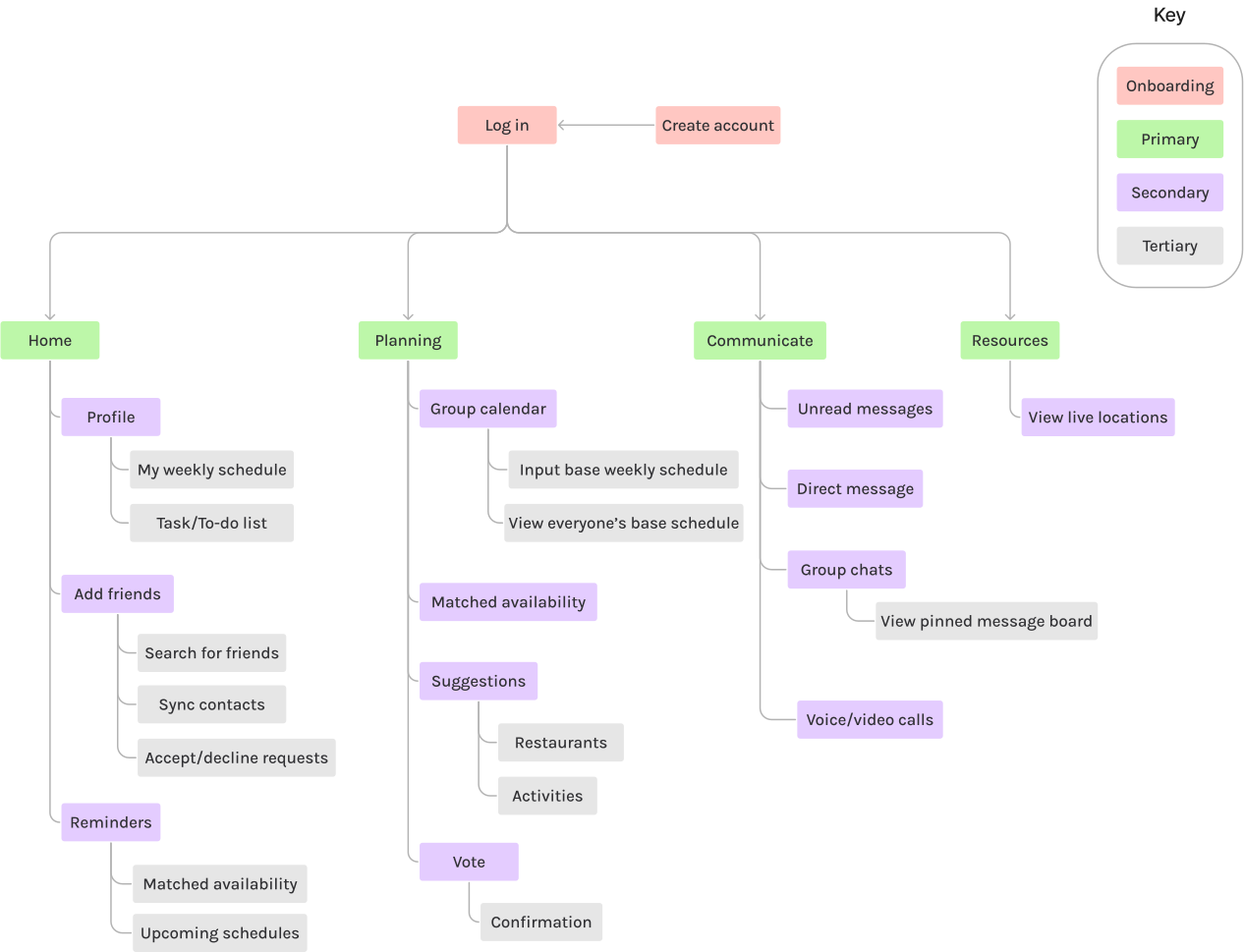
I Incorporated Insights from Pain Points and Key Features to Create Pathways.
I created a site map, outlining the flow of my primary screens and ensuring that contents were intuitively placed for users. This visual representation offered a comprehensive view of the structure, breaking it down into manageable steps. Structuring my thoughts in this way enabled me to focus on practicality and alignment with the app's objectives.
User flows...
How can I Guide Users to their Target Goals?
After creating the sitemap, I identified three key "red routes" essential to my app’s functionality. Using insights from the How Might We statements, I simplified these routes into clear, efficient steps. Mapping the user flows allowed me to carefully consider every detail required to complete each task, ensuring a user-centric approach and prioritizing their needs at every step.
1. As a user, I want to search and add friends on the app.
2. As a user, I want to input my personal weekly schedules.
3. As a user, I want to create a group chat to communicate
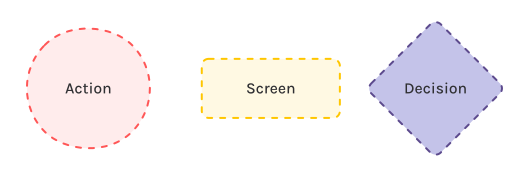
Key:
Brainstorming...
Initial Visualizations of LinkUp.
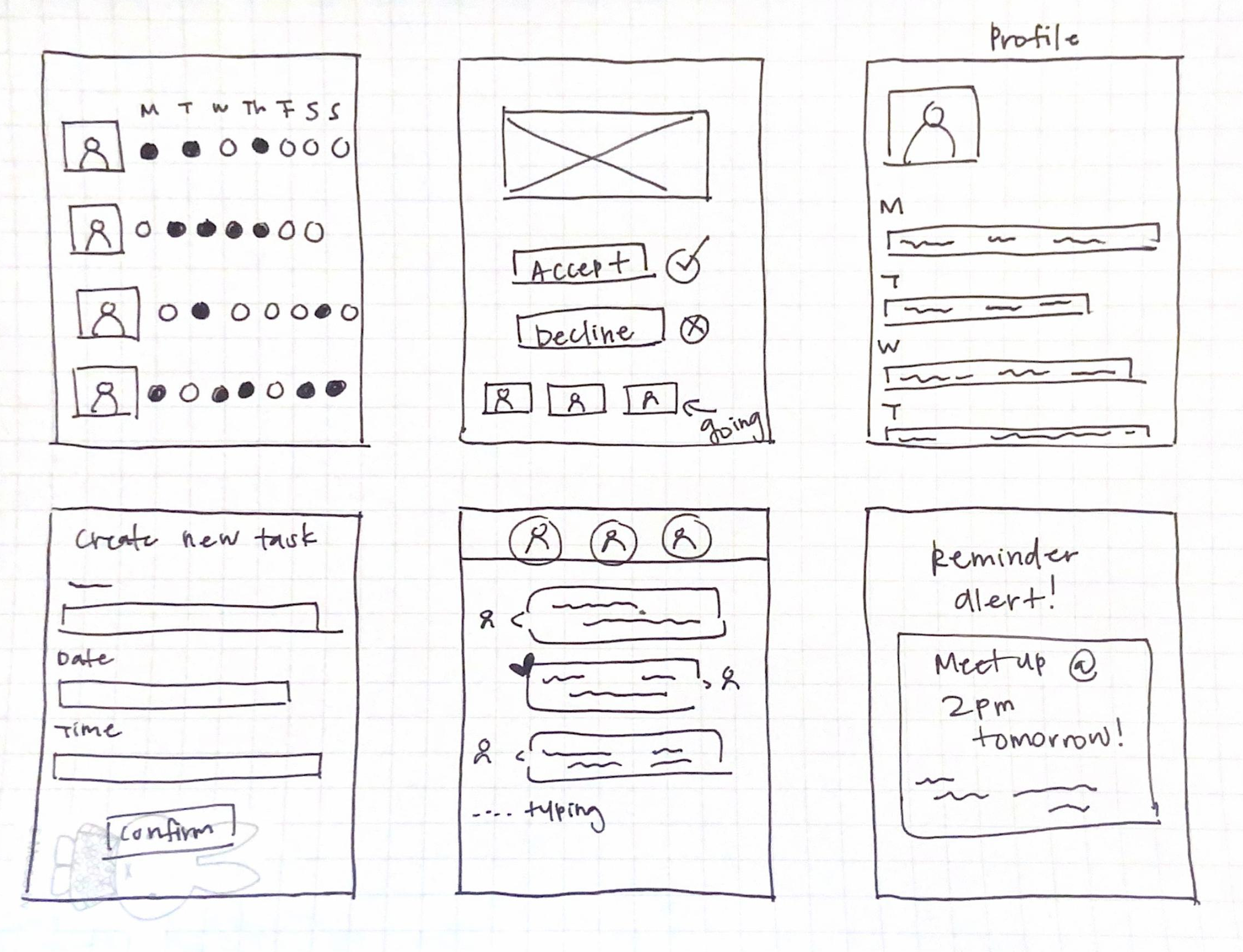
When sketching, I used the Crazy 8s method to spark my creativity and generate as many ideas as possible. I primarily focused on exploring various ideas with clean, simple, and familiar design choices. I also revisited my interviews and maps for inspiration.
Wireframes...
With Design Priorities in Mind, I Began Crafting Wireframes.
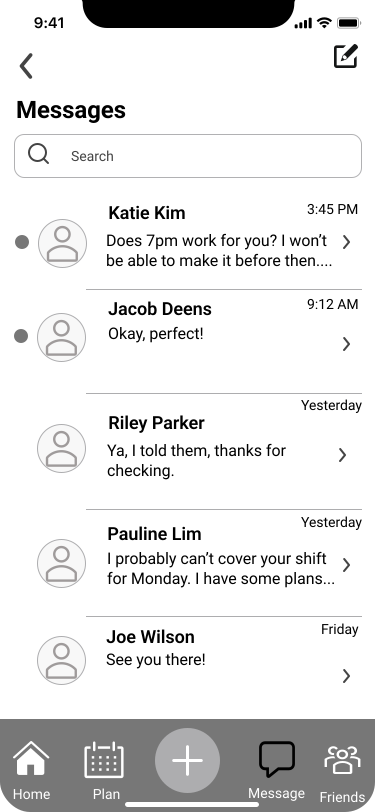
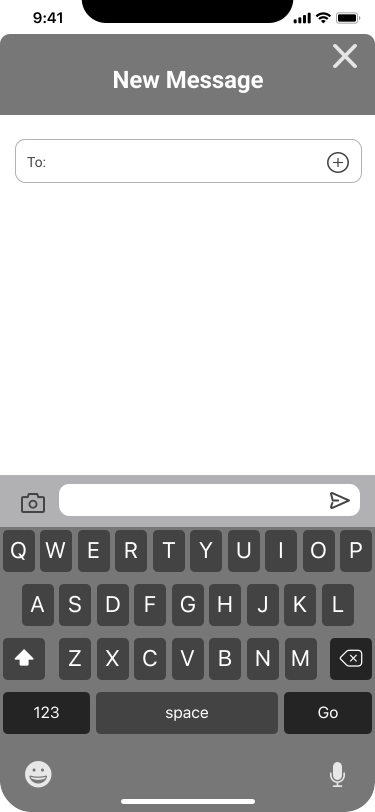
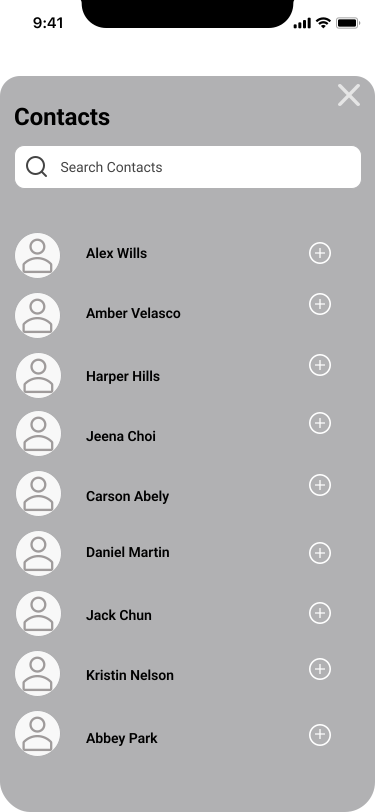
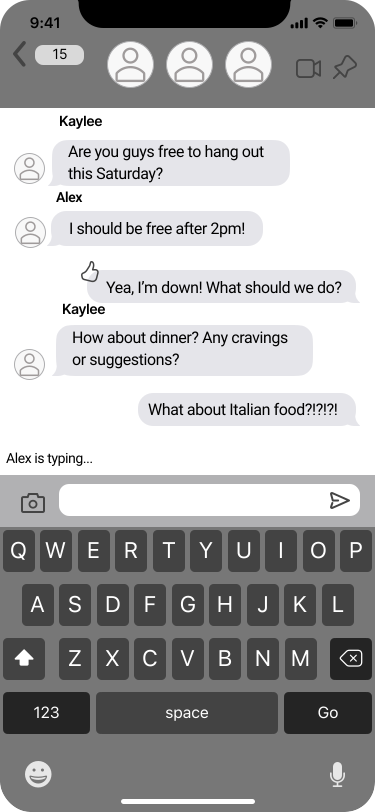
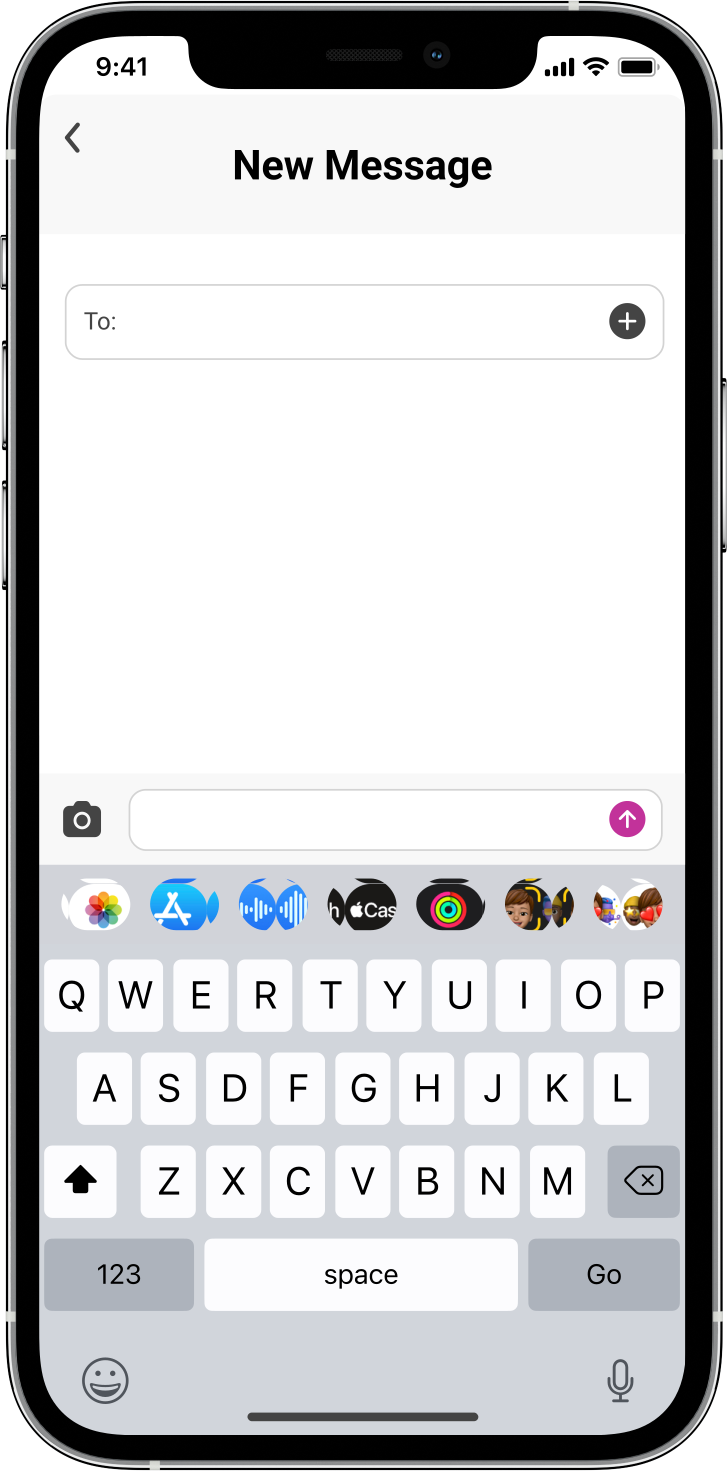
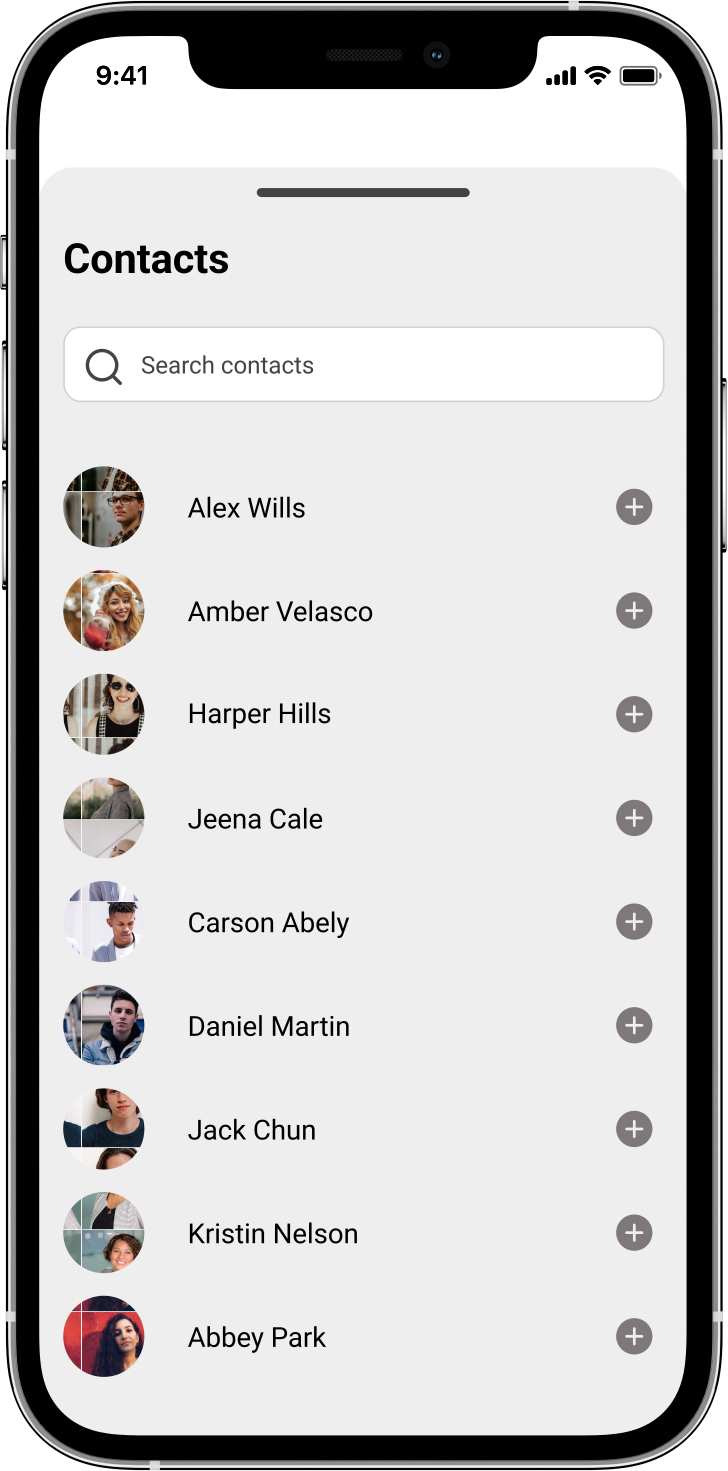
Using my sketches as a guide, I developed wireframes to establish the core layout of the screens, laying the foundation for the project. I focused on crafting the structure for all three user flows, carefully considering spacing, sizing, and ensuring that every screen and modal was thoughtfully designed and accounted for.
Getting inspired...
I Assembled a Mood board to Shape my Creative Direction.
In alignment with the main goal of my app, I aimed to capture its essence through my brand platform. I developed the name "LinkUp" as it embodied the purpose of facilitating social gatherings despite varying schedules. My mission was to simplify social planning for users, offering tools for effortless coordination with friends. To reflect our brand's personality—reliable, friendly, and sincere—I curated a mood board for visual inspiration.
Product branding...
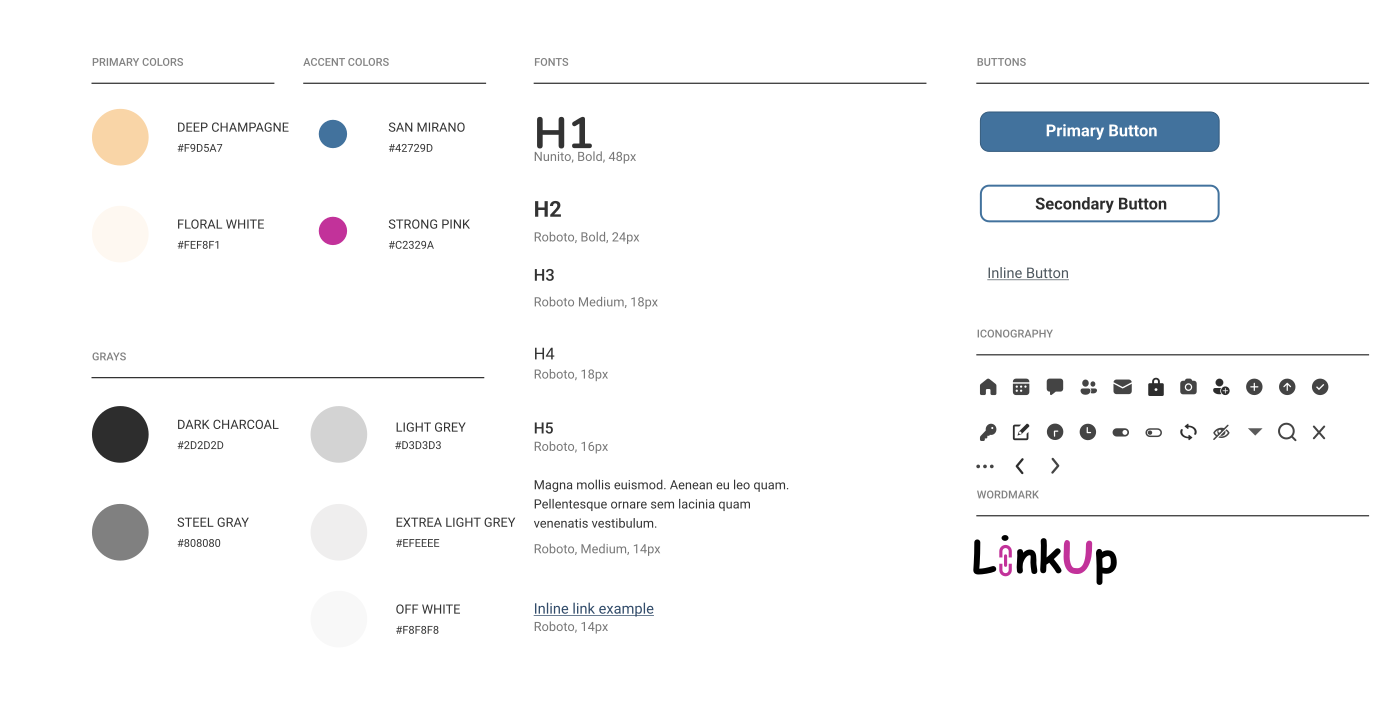
I Created a Mini Style Guide.
I took inspiration from my mood board to create my style guide. By creating a style guide, I was able to define five important elements: colors, fonts, buttons, iconography, and wordmark. I chose a font that was simple and easily legible. I did end up updating my colors and icons as I continued working on my project.
High-fidelity wireframes...
Getting Closer to the Final Designs!
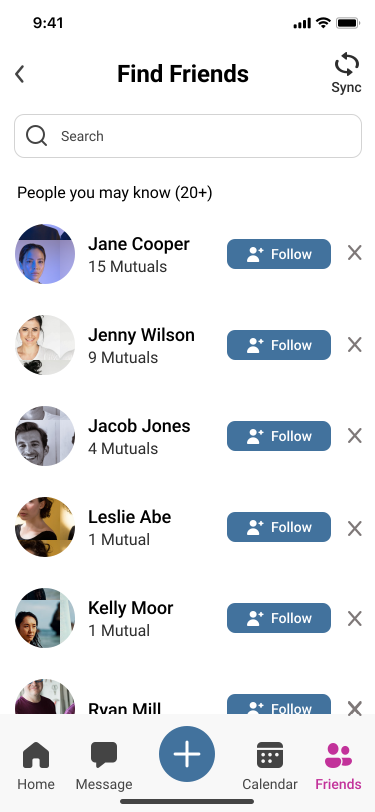
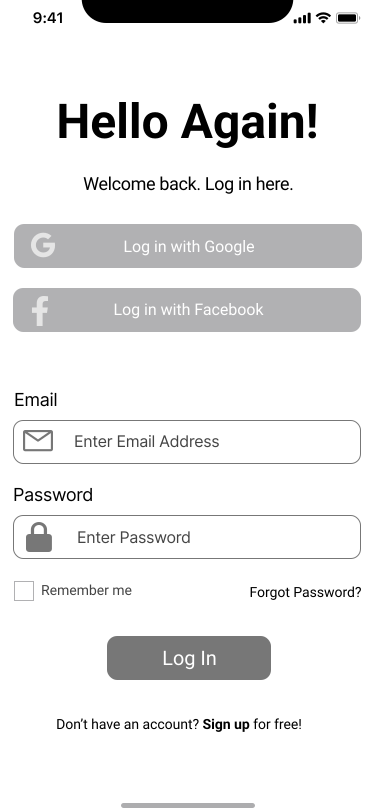
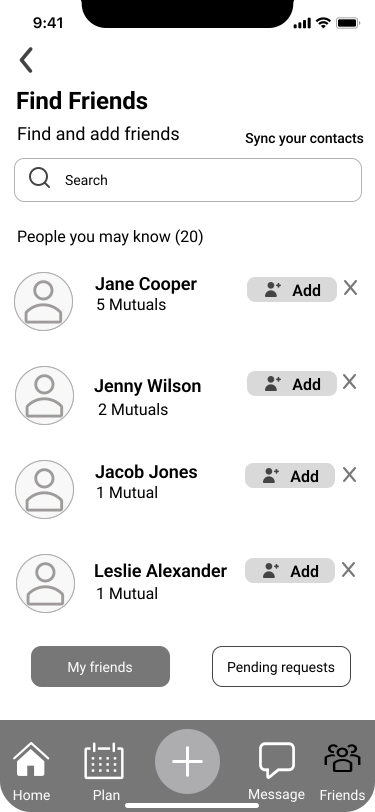
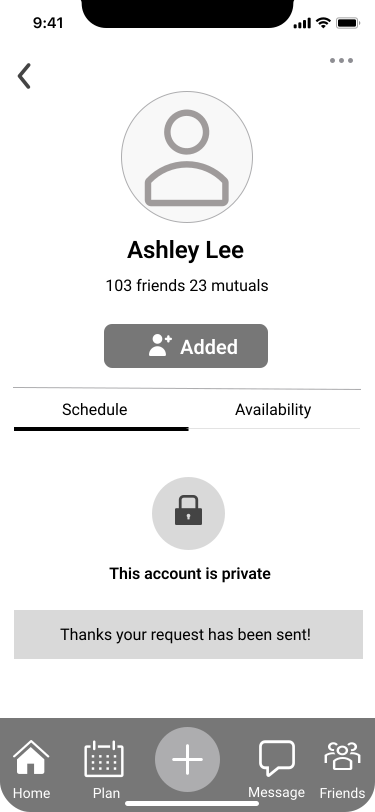
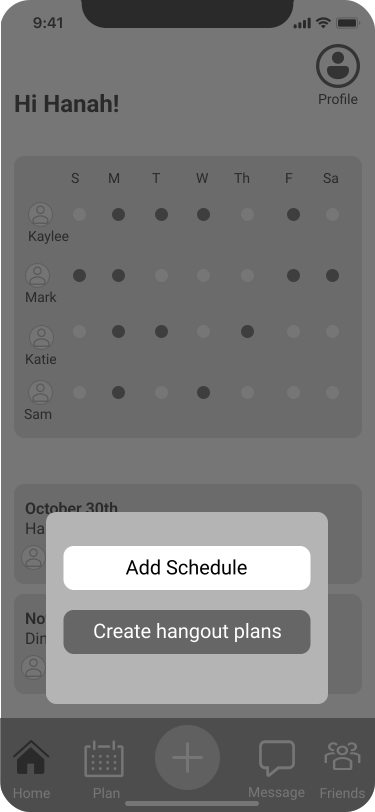
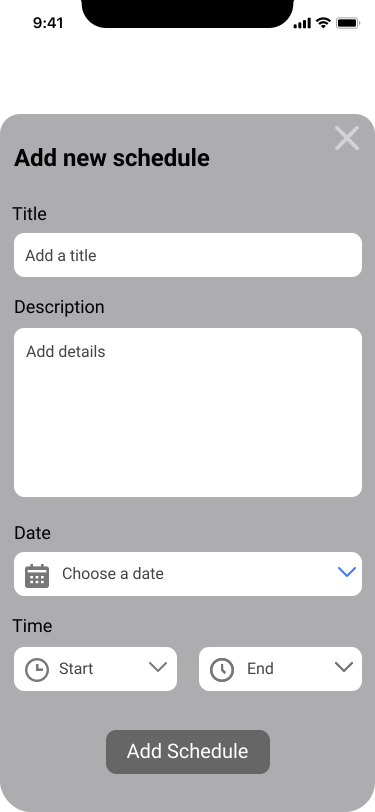
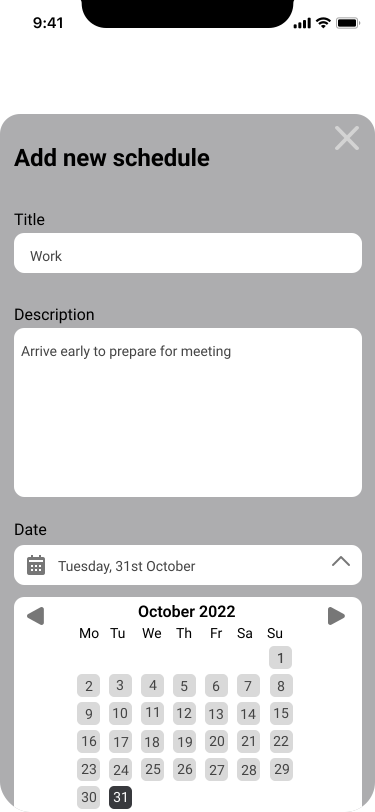
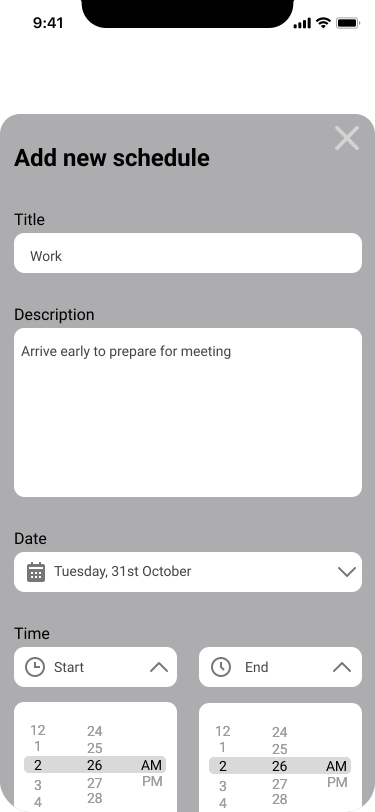
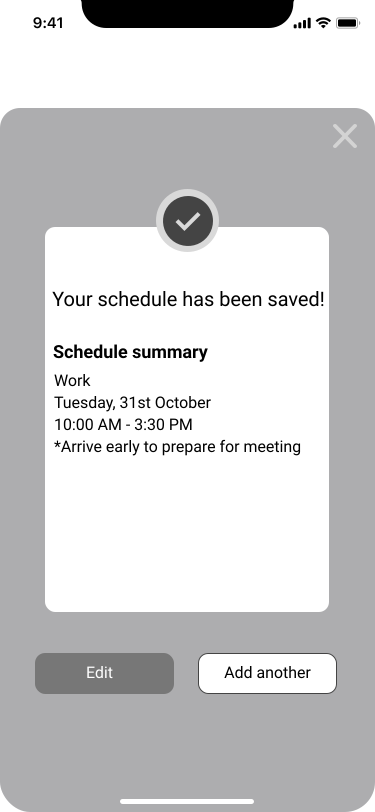
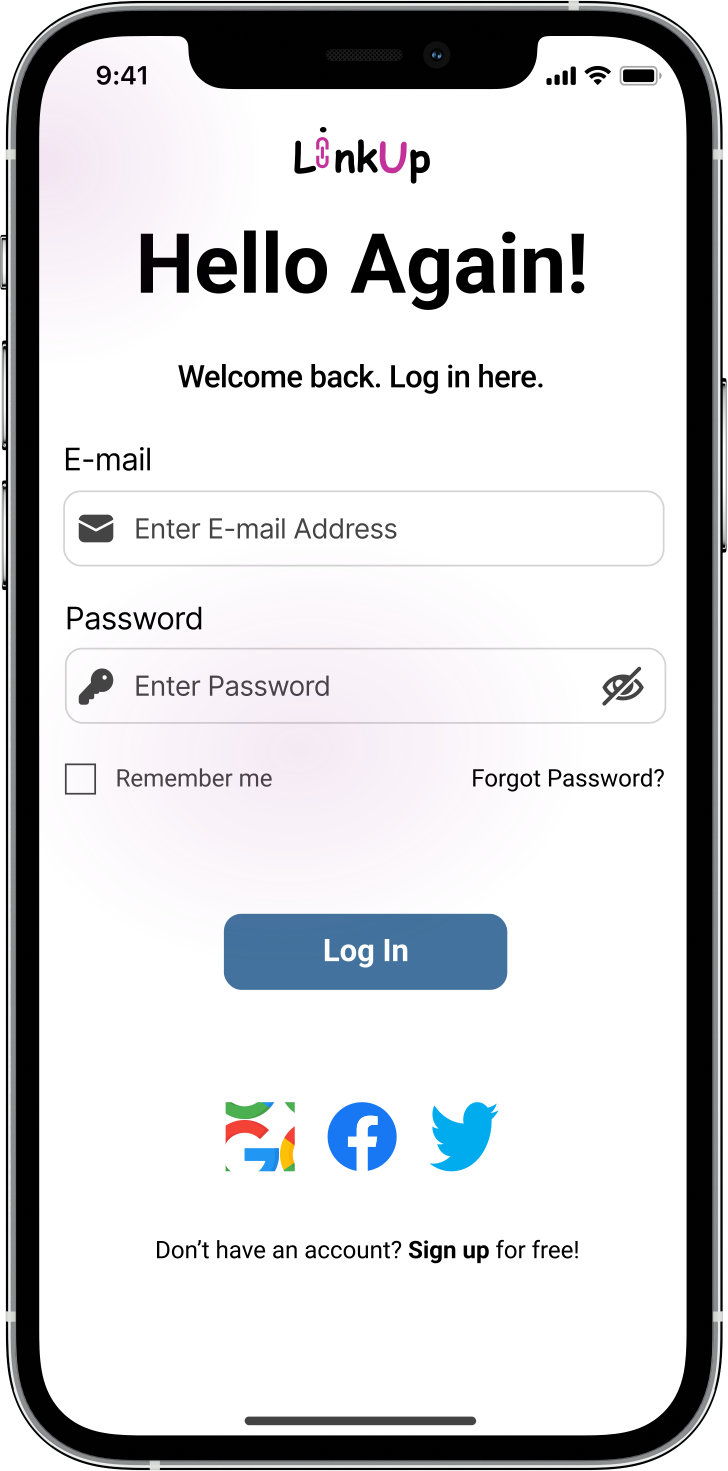
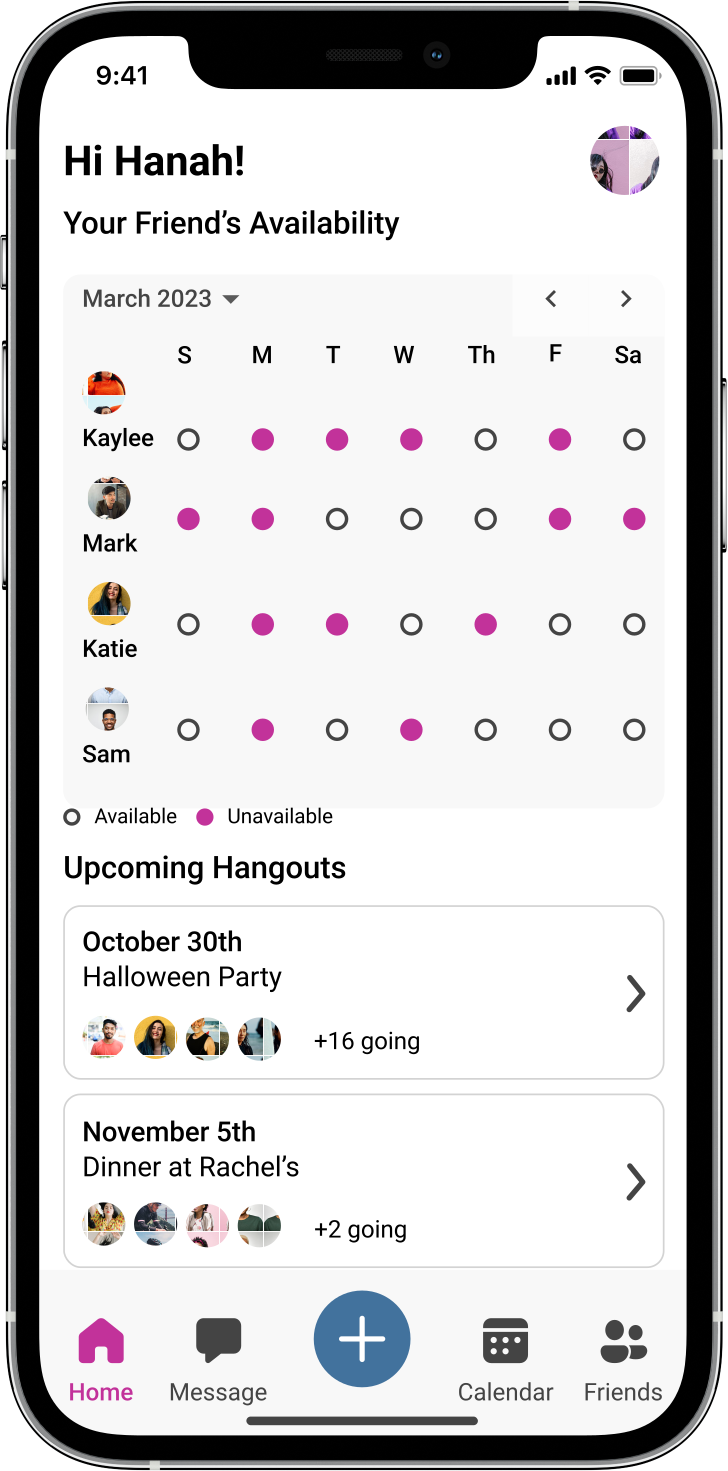
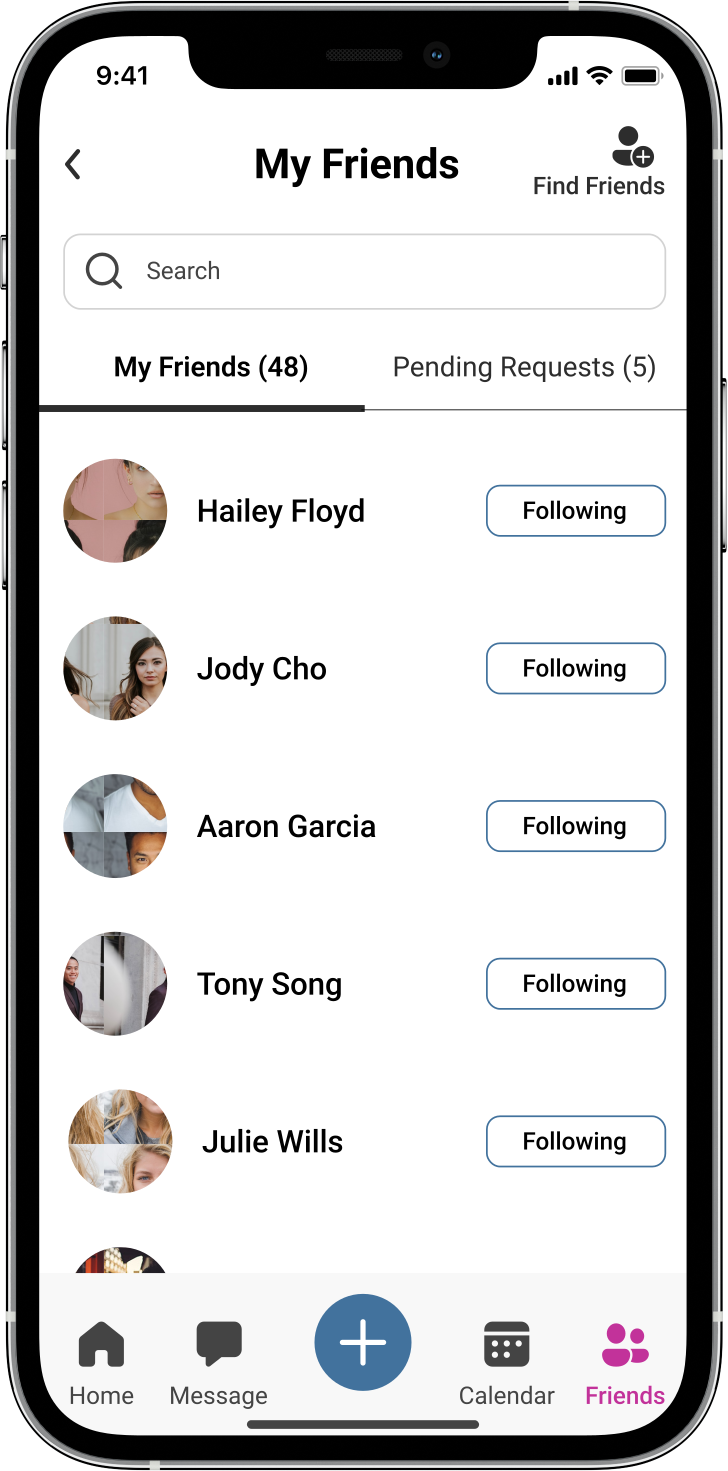
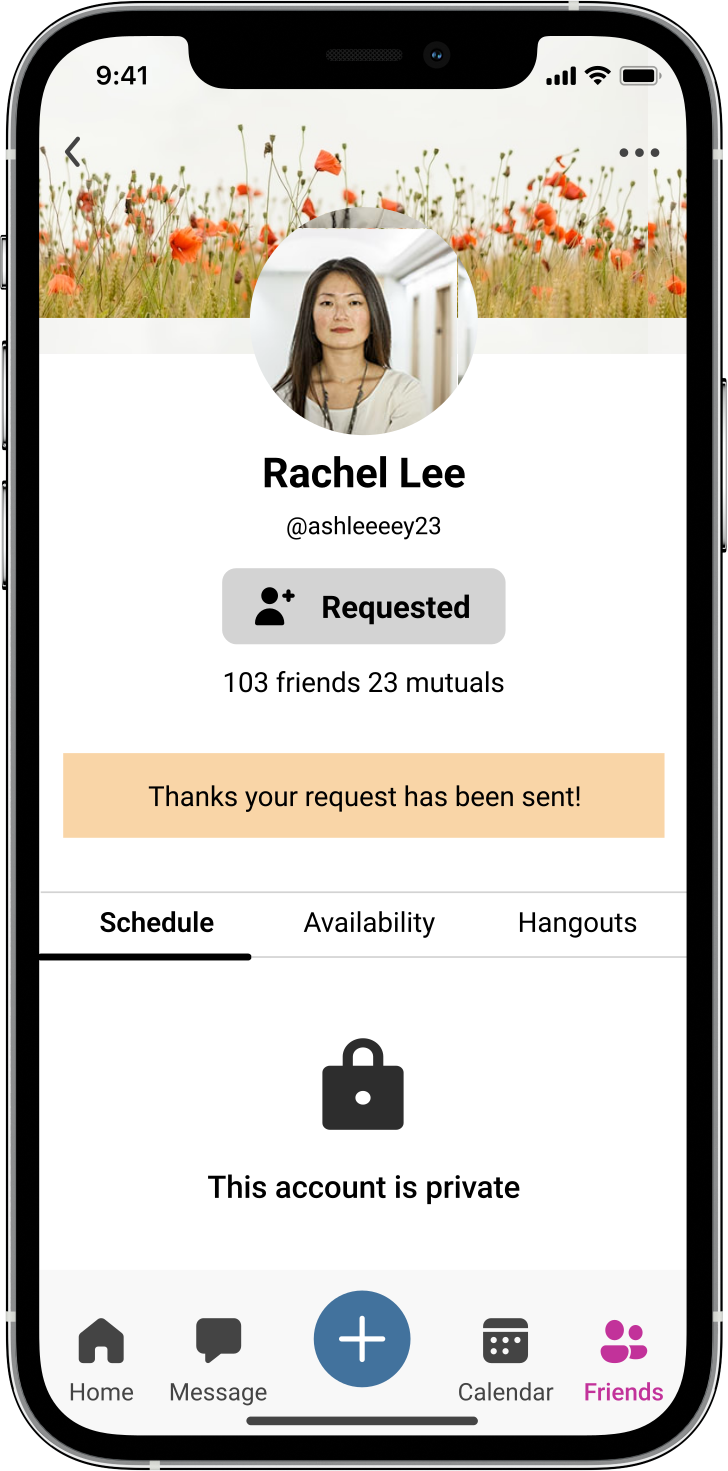
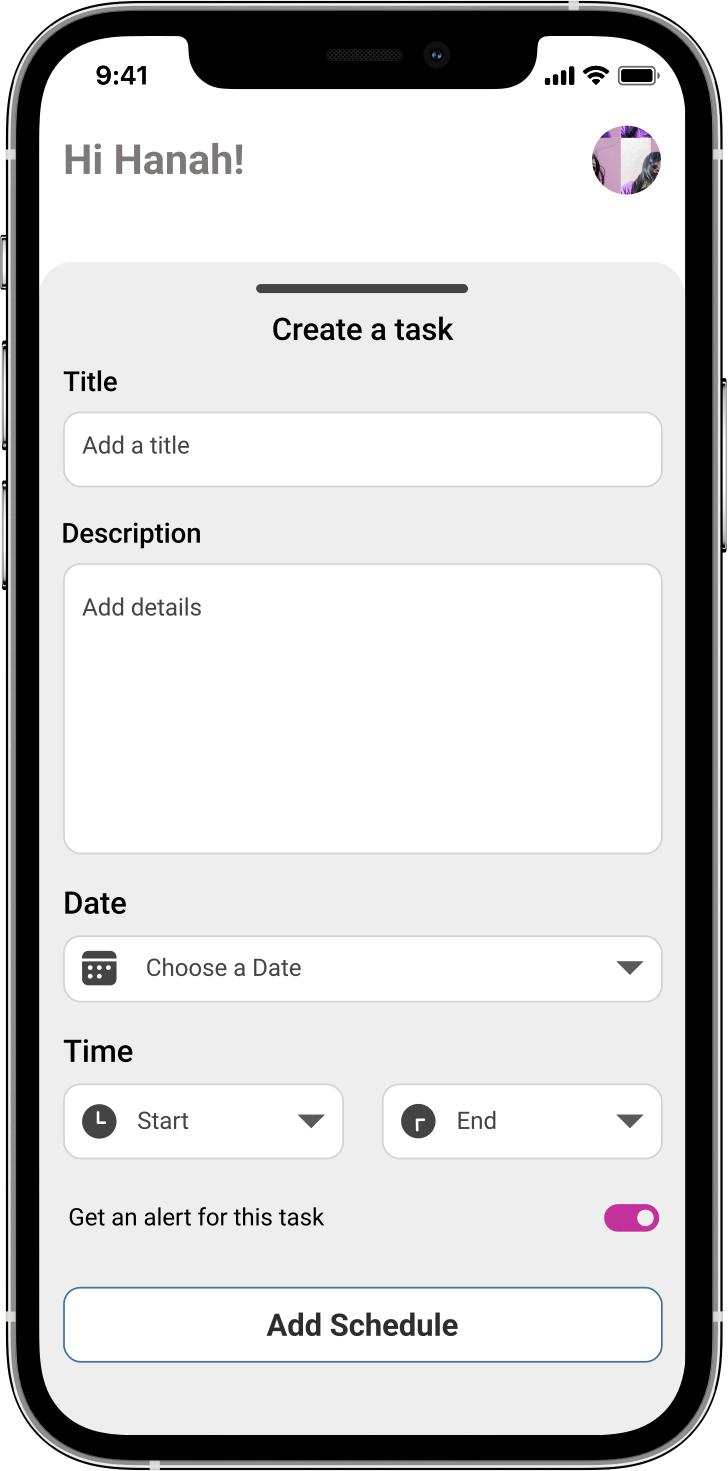
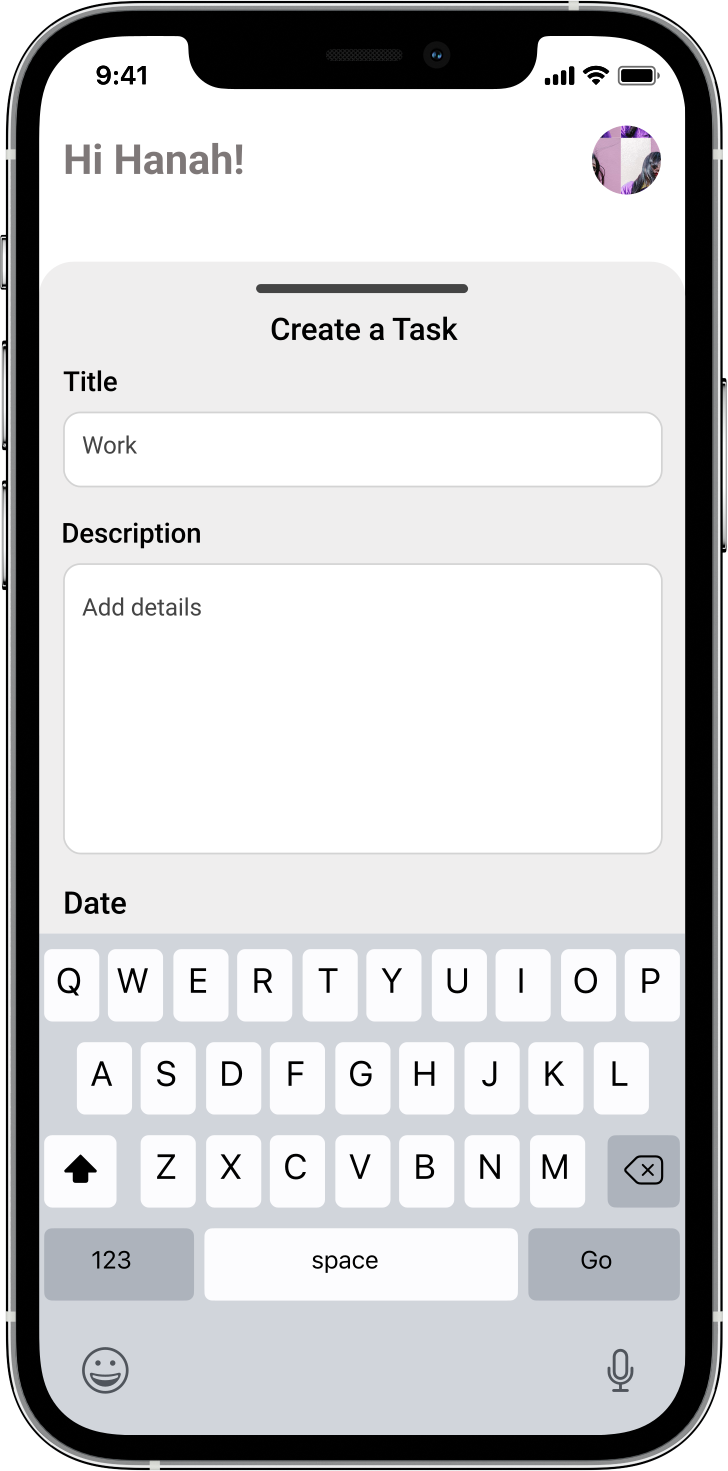
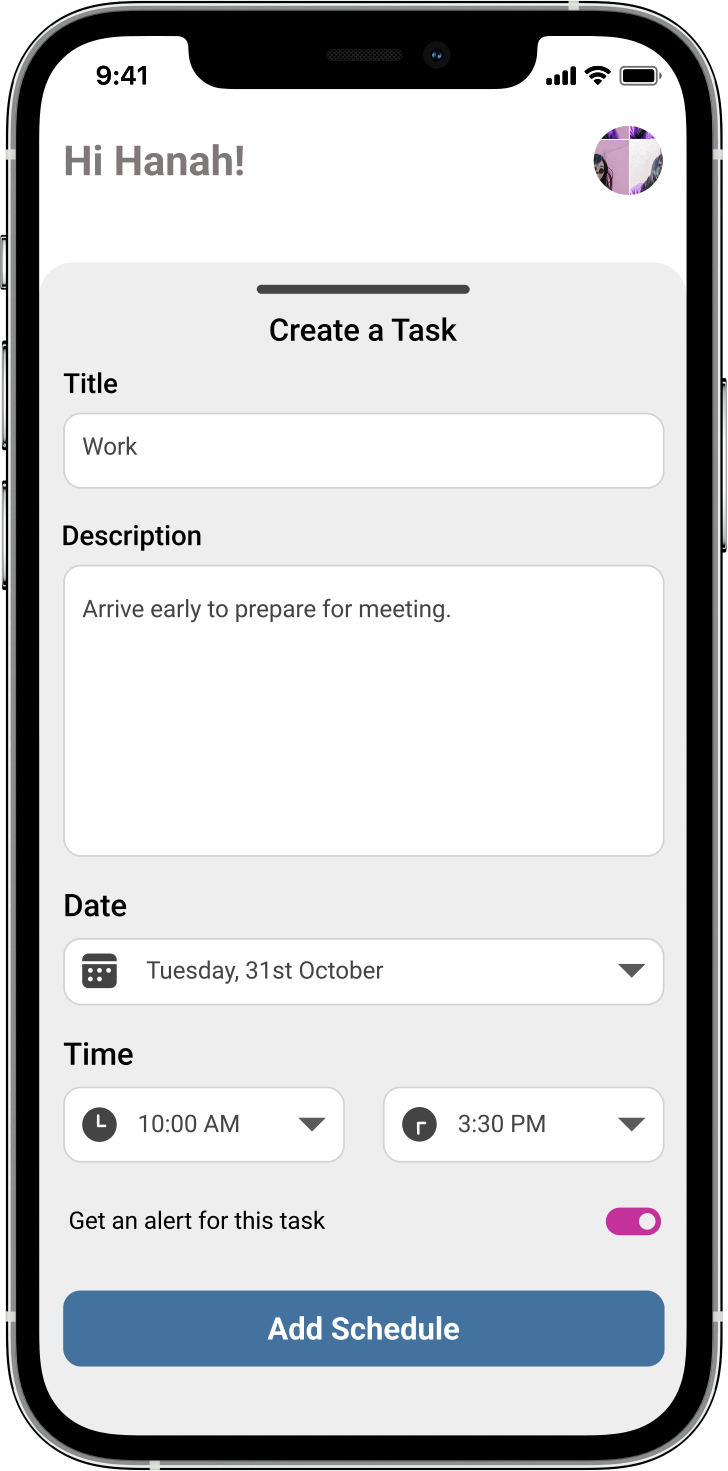
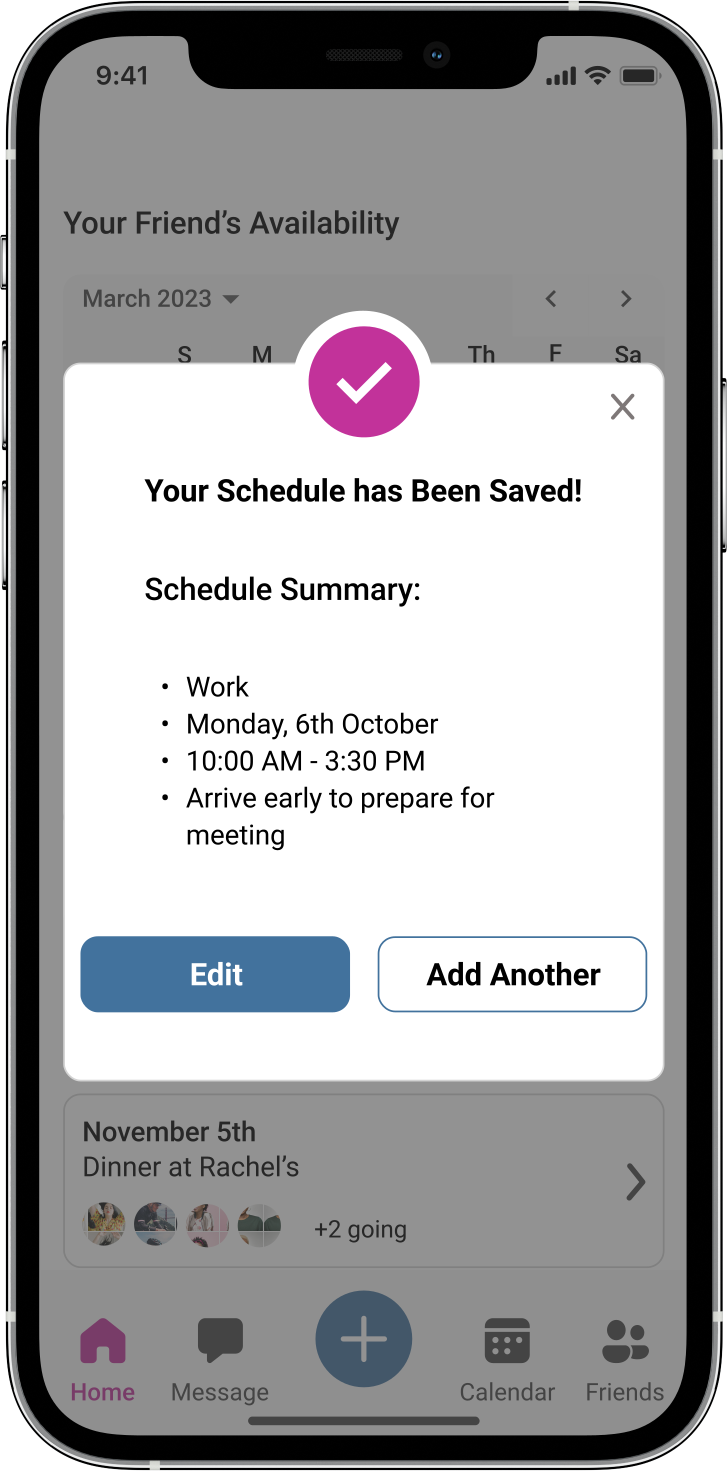
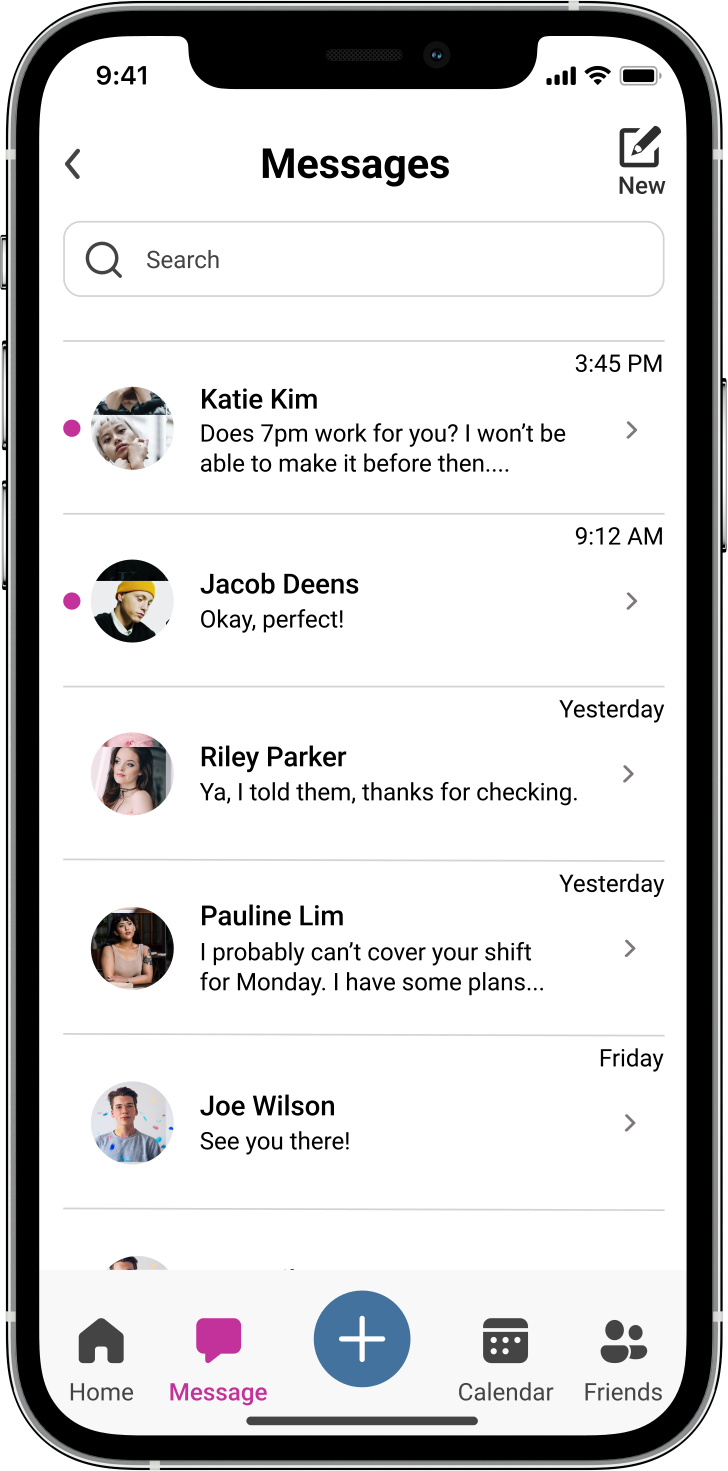
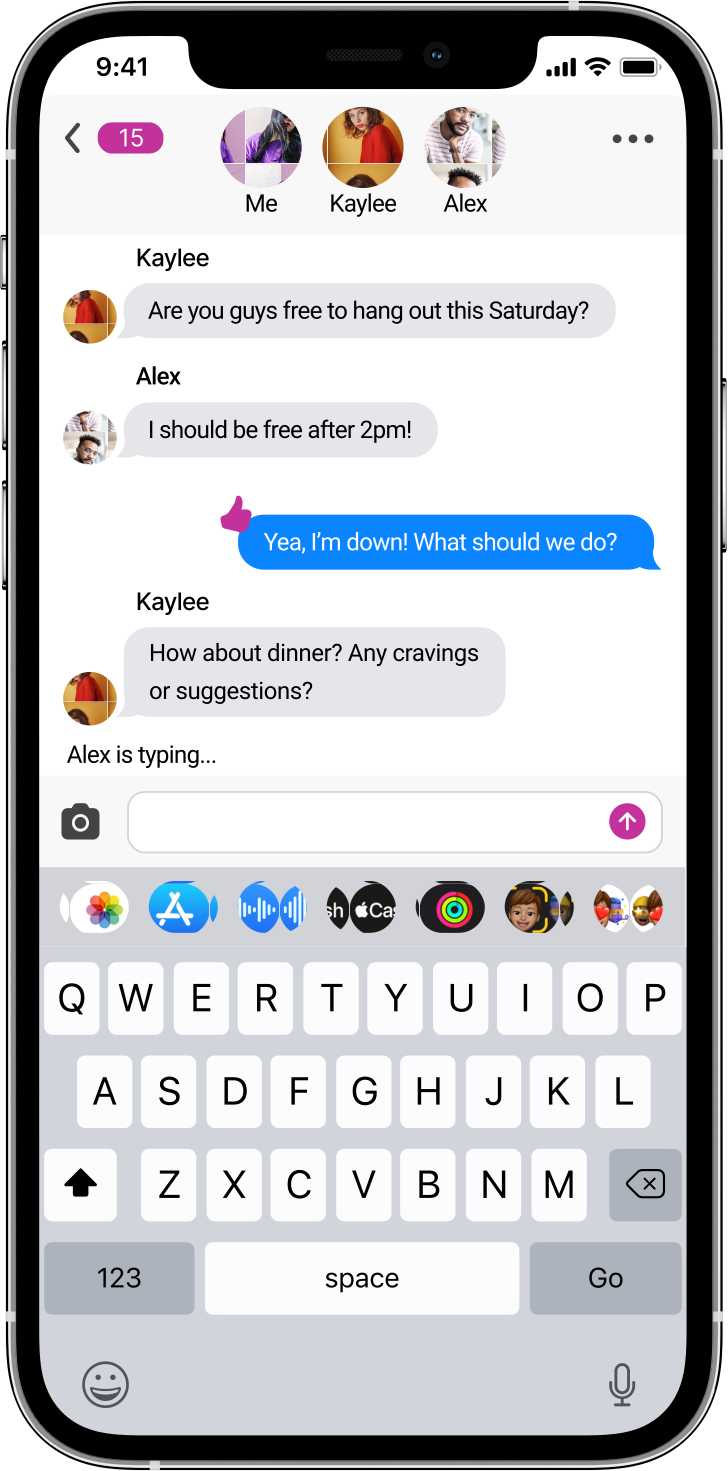
Using my wireframes as a foundation, I developed high-fidelity screens for each user flow. Integrating colors, fonts, and icons added realism. This phase taught me about hierarchy, spacing, and alignment. Overcoming challenges with color contrast, I ensured visual consistency across screens.
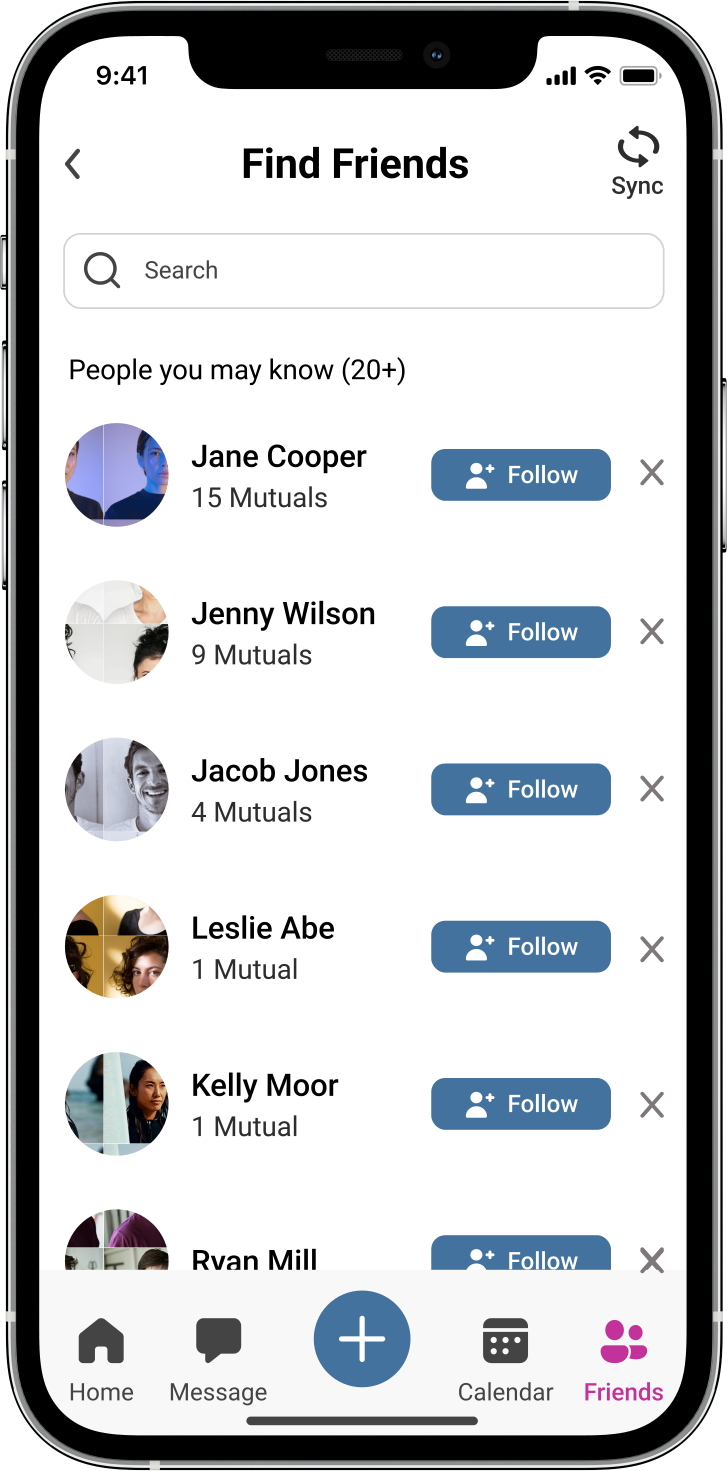
Log-in, Home, & Find Friends
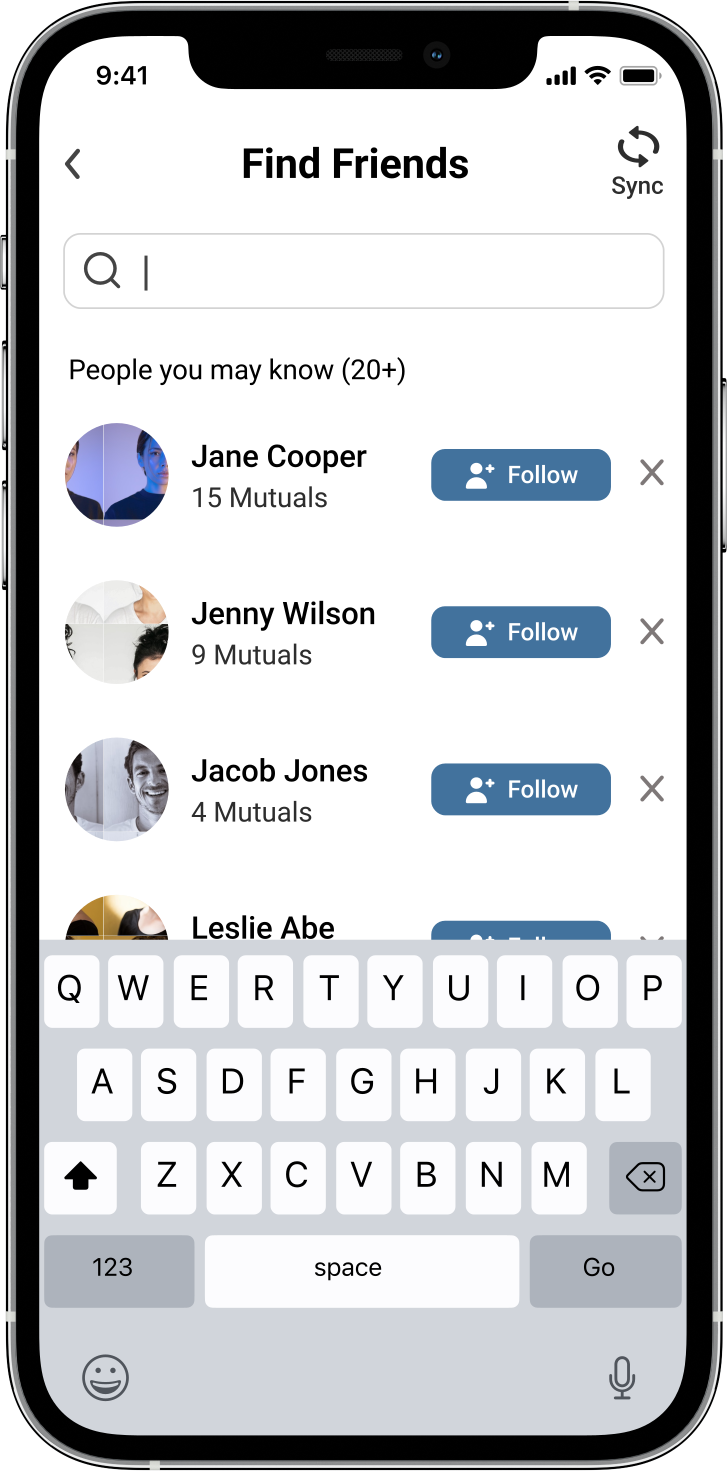
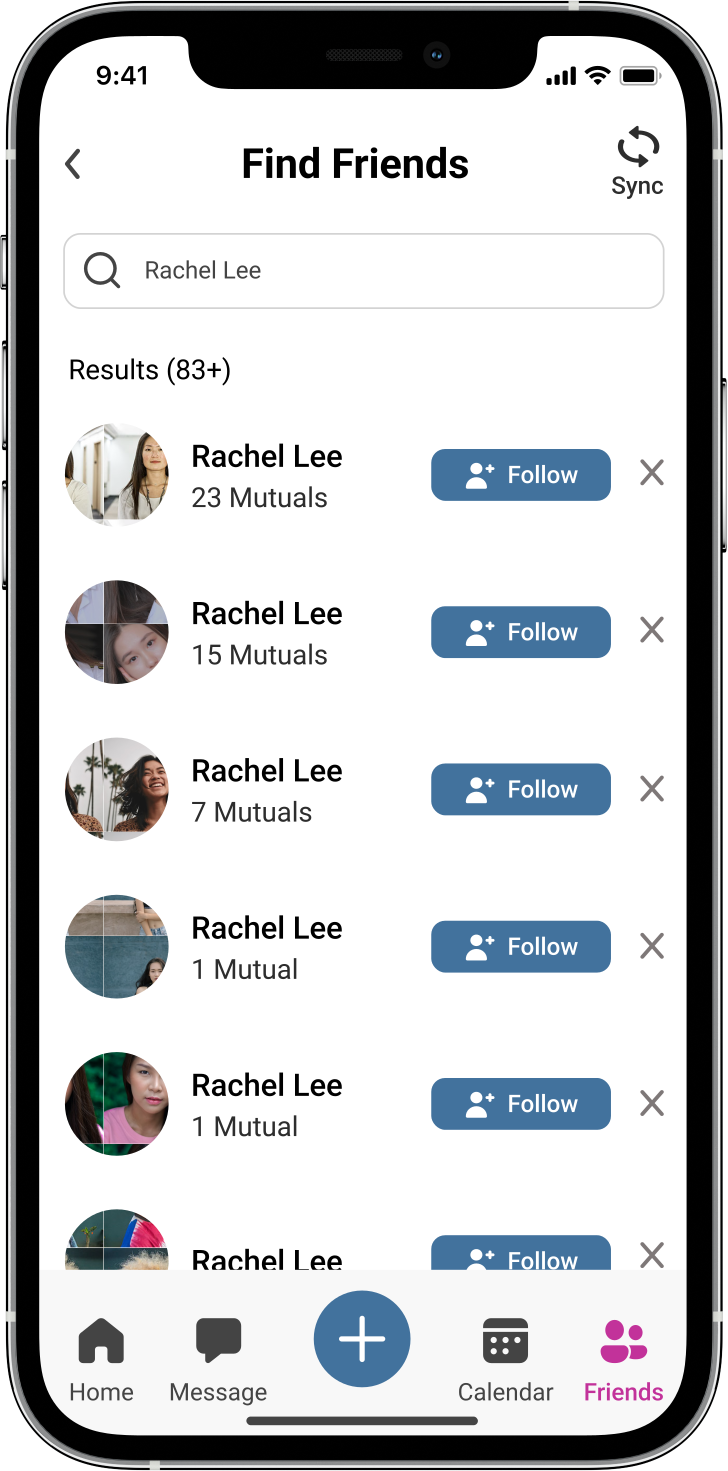
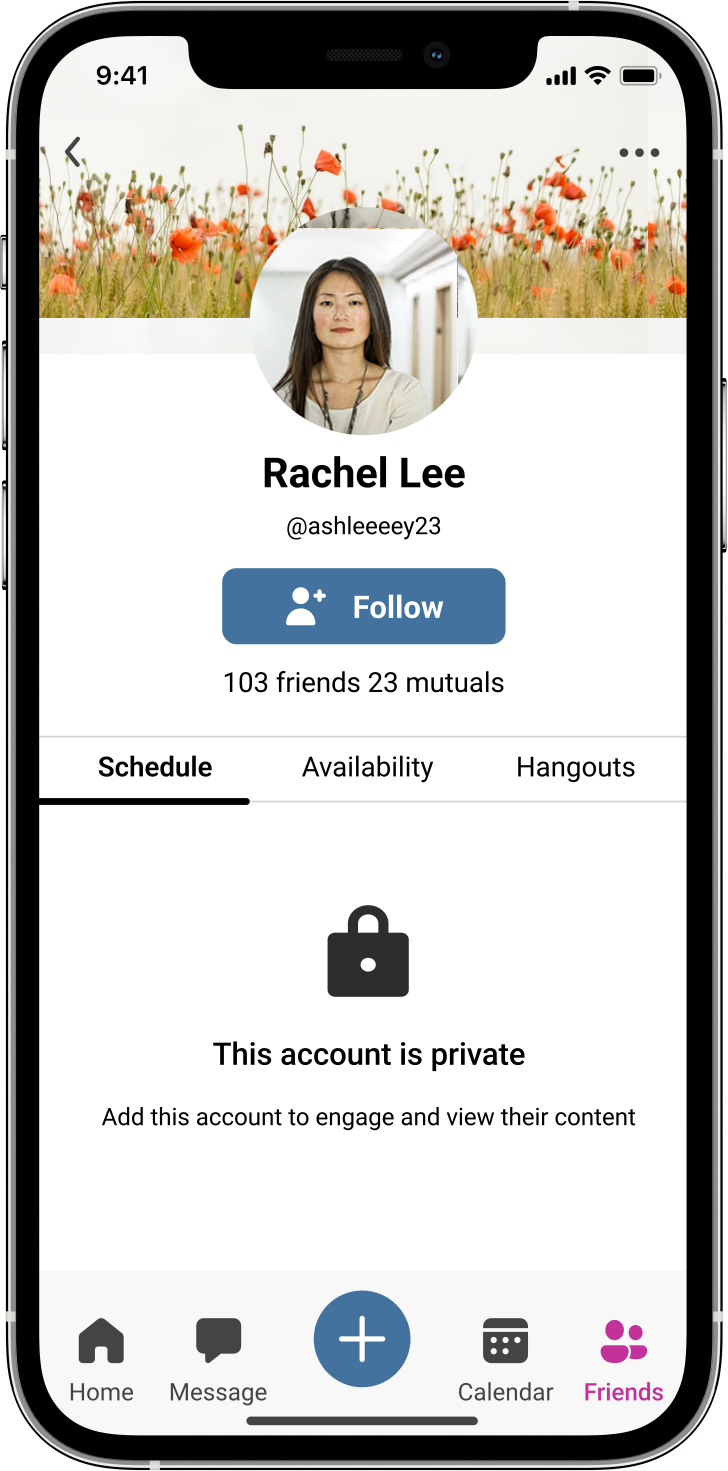
Add Friends & Request Confirmation
Create new Schedule & Confirmation
Message Inbox & Create Group Chats
Prototyping...
Turning High-Fidelity Screens into Interactive Experiences.
To bring my high-fidelity screens to life for users to interact with, I created a prototype. I made paths that were the most intuitive for users to be able to navigate through my app. As I worked through this section, I found myself making many adjustments so that the app worked as I intended for the users.
Usability testing my designs...
Over Zoom, I Tested Five Users' Ability to Complete the Three task flows.
I conducted usability testing to ensure my app met functionality expectations. Recruiting 5 participants, I remotely interviewed them via Zoom. They interacted with the prototype, completing these 3 tasks:

1. Find a new friend to follow within the app
2. Create a new personal schedule/task
3. Create a group chat with 2 or more contacts
Priority
Issue
Recommendation
Critical
Participants only added one person to the group chat but after adding, they were immediately taken to an existing group chat.
Create a new screen with a blank group message screen after the contacts have been added.
Critical
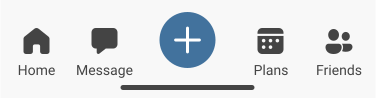
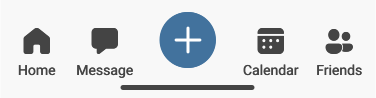
Participants found the blue plus button and calendar icon confusing when attempting to create a new task or schedule.
Change the calendar icon terminology from “plans” to calendar.
Major
Users thought they could add more than 1 contact for the group chat.
Include a screen displaying the first contact added in a new message interface, with the option to add more participants for the group chat.
Minor
Users thought they could search their contacts when creating a new message.
Create another prototype pathing for the search option.
Minor
Users were confused that the name “Rachel Lee” auto filled when trying to search the name.
Create new prototype paths so users can type in the name.
Minor
Users were confused that the input fields were auto filled.
Create new prototype paths so users can type in the input fields.
Normal
Participants mistakenly clicked the small follow button instead of accessing "Rachel Lee's" profile and following the friend from there.
Both options function: follow directly from the search list or follow after viewing the friend's profile.
Final designs after testing...
Refining Designs Based on Usability Test Feedbacks.
After analyzing the feedback from the usability testing interviews and addressing the main issues, I revisited my prototype to implement necessary adjustments. My goal was to rectify all identified errors and ensure a smoother user experience.
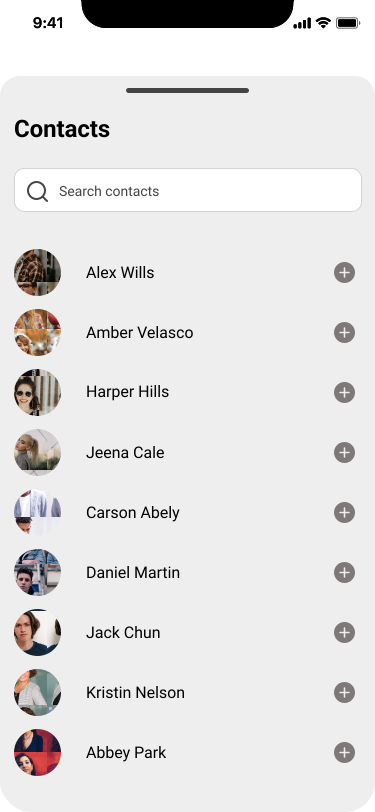
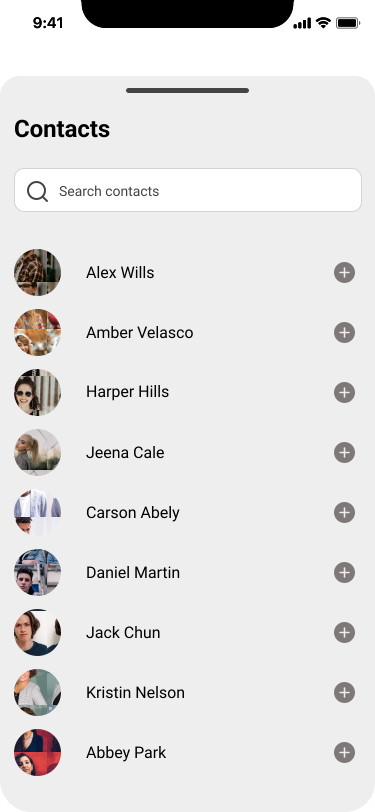
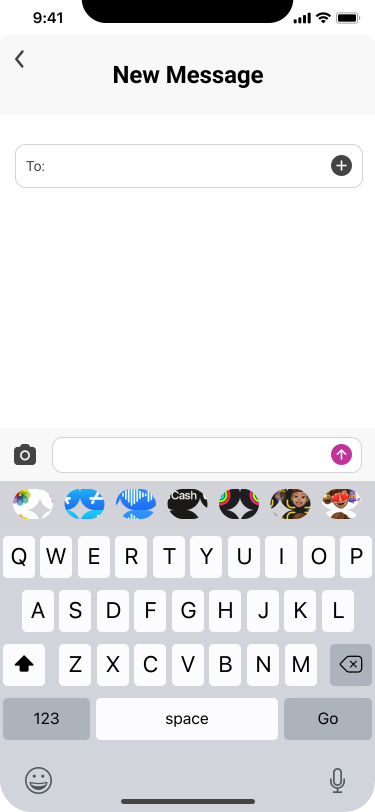
Creating a Clear Transition for New Group Chats.
Users were redirected to an existing group chat upon adding a contact for a new message. To signify the creation of a fresh group chat, I opted to include a transitional screen displaying the added contacts.
Before
After
Addressing User Confusion in Task Scheduling.
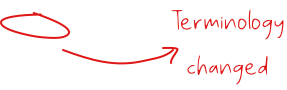
Users faced confusion regarding where to initiate the creation of a new schedule or task. To mitigate this, the terminology was updated from "plans" to "calendar".
Before
After
My takeaways...
The completion of this UX/UI project proved to be an invaluable learning experience, providing me with a comprehensive understanding of user experience principles. Throughout the project, I assimilated a multitude of crucial concepts and design methodologies, which enabled me to develop an application tailored precisely to its intended audience. Each phase of the project, from initial secondary research to the final prototype, played a pivotal role in crafting a product that not only incorporates user feedback but also demonstrates empathy and a constant commitment to meeting user needs. I achieved substantial personal growth and a profound sense of accomplishment. My background in psychology added a unique dimension to the project, illuminating the intersection of psychological principles with the user experience. It became evident that UX designers must possess a genuine fascination with human psychology, as they endeavor to comprehend the emotional and motivational aspects underpinning user behavior. This project underscored the indispensable nature of this connection, reinforcing the pivotal role of empathy and user-centered design in the field of UX/UI.